Méthodes de travail
Planifier une exposition, de la première étape à la dernière
Les autres guides présentent chacun un outil. Celui-ci retrace l’ensemble du parcours : comment passer d’un ensemble de sources à des textes aboutis, et quel outil intervient à chaque étape.
Aucune exposition ne se construit de la même façon, et vous n’utiliserez pas tous les outils à chaque fois. Mais le travail suit un ordre naturel — rassembler, comprendre, mettre à l’épreuve, écrire, adapter — auquel les outils de Curatorial correspondent. Voici un parcours complet, avec des liens vers les guides détaillés de chaque étape.
Préparer l’exposition et rassembler vos sources
Créez un projet pour l’exposition et constituez sa bibliothèque : importez les catalogues, les articles et les dossiers de presse, puis laissez-les s’indexer. Tout le travail qui suit s’appuie sur cette base : vous avez donc tout intérêt à prendre le temps de bien la préparer. Voir Projets et bibliothèque →
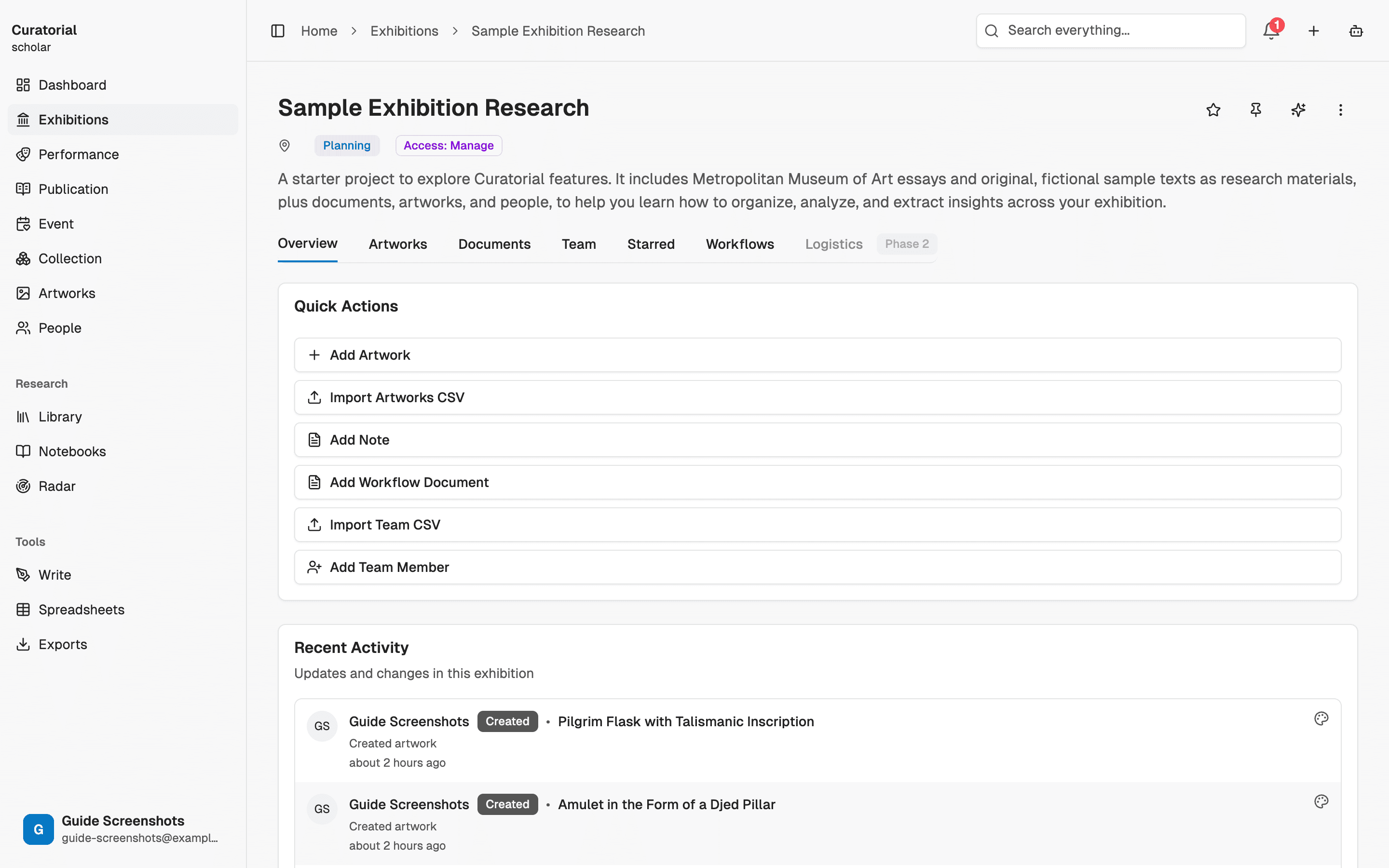
Comprendre ce que vous avez rassemblé
Avant de formuler une thèse, examinez la structure de vos sources. Extraction des idées clés fait ressortir les arguments de chaque source, tandis que l’ Assistant vous permet d’interroger toute votre bibliothèque au fil d’une conversation. Pour explorer une question précise à partir d’un corpus choisi, l’ Enquête guidée fait ressortir les thèmes, avec leurs références, ainsi que les lacunes de votre documentation.
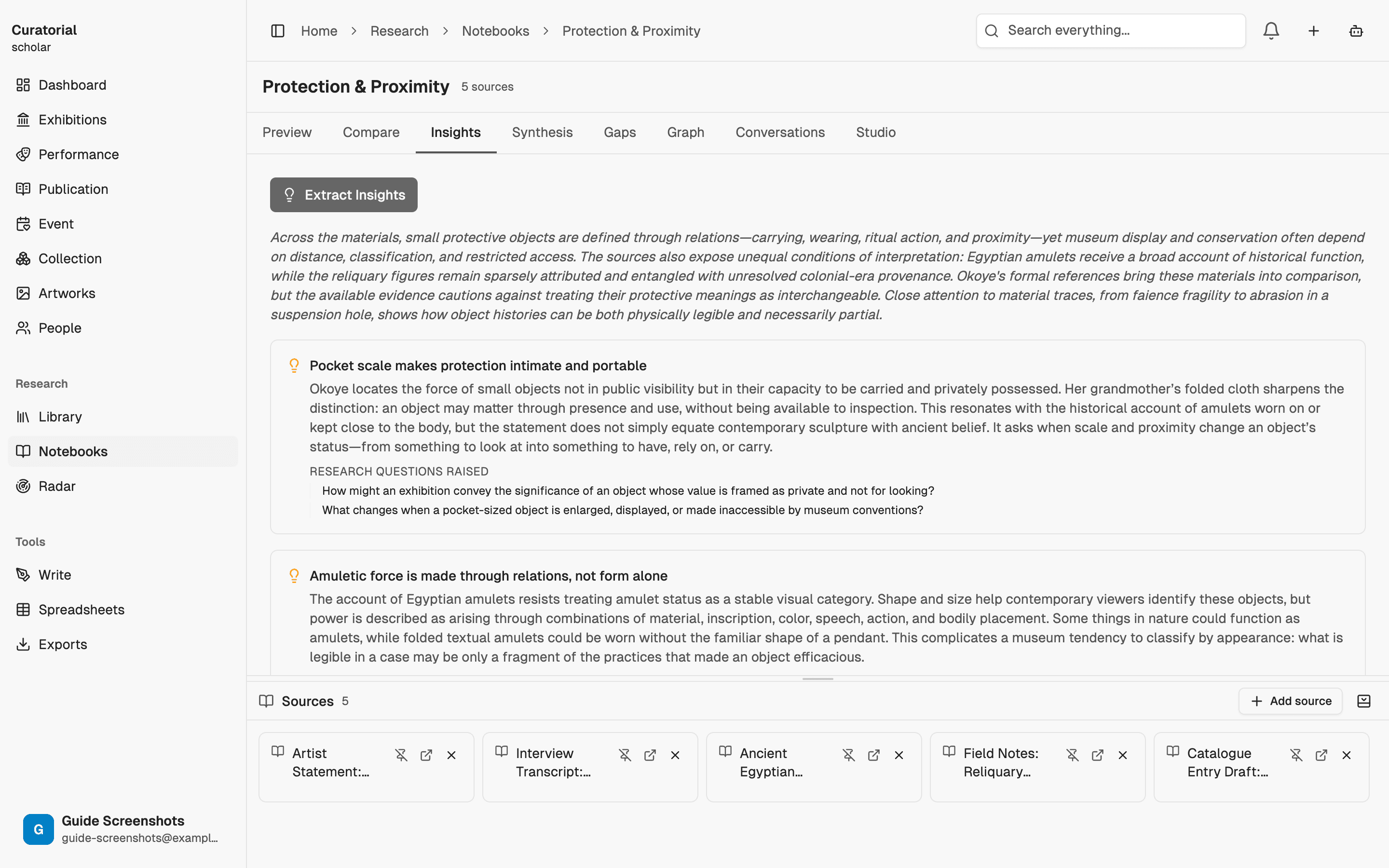
Trouver la structure de l’exposition
Cherchez maintenant une structure. Cartographie des liens révèle quels documents se regroupent autour de certains thèmes ; le Graphe de connaissances fait émerger les artistes, les mouvements et les lieux qui se trouvent au cœur de cet ensemble. Le groupe de documents qui continue de vous intriguer est souvent le point de départ de votre exposition.
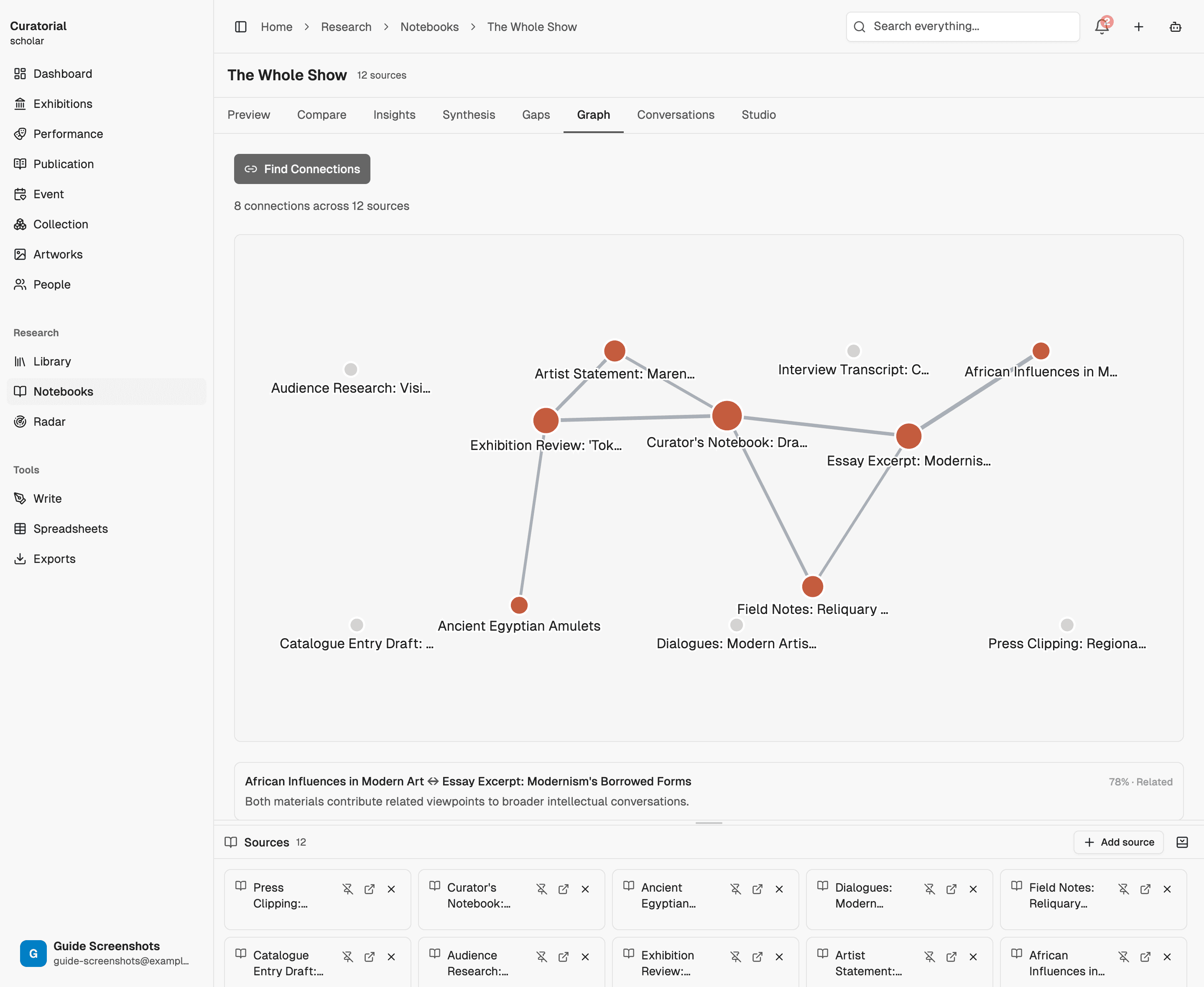
Ne vous précipitez pas vers une thèse. Laissez la carte faire émerger deux ou trois pistes d’exposition, puis prenez le temps de les explorer avant de vous décider.
Mettre votre projet à l’épreuve
Avant de développer votre idée, mettez-la à l’épreuve. Analyse des lacunes met en évidence ce qui manque à votre recherche : une période, un lieu ou une voix que vous auriez négligés. Analyse comparative repère les désaccords entre vos sources, qui ouvrent souvent un espace où votre propre argumentation peut prendre place.
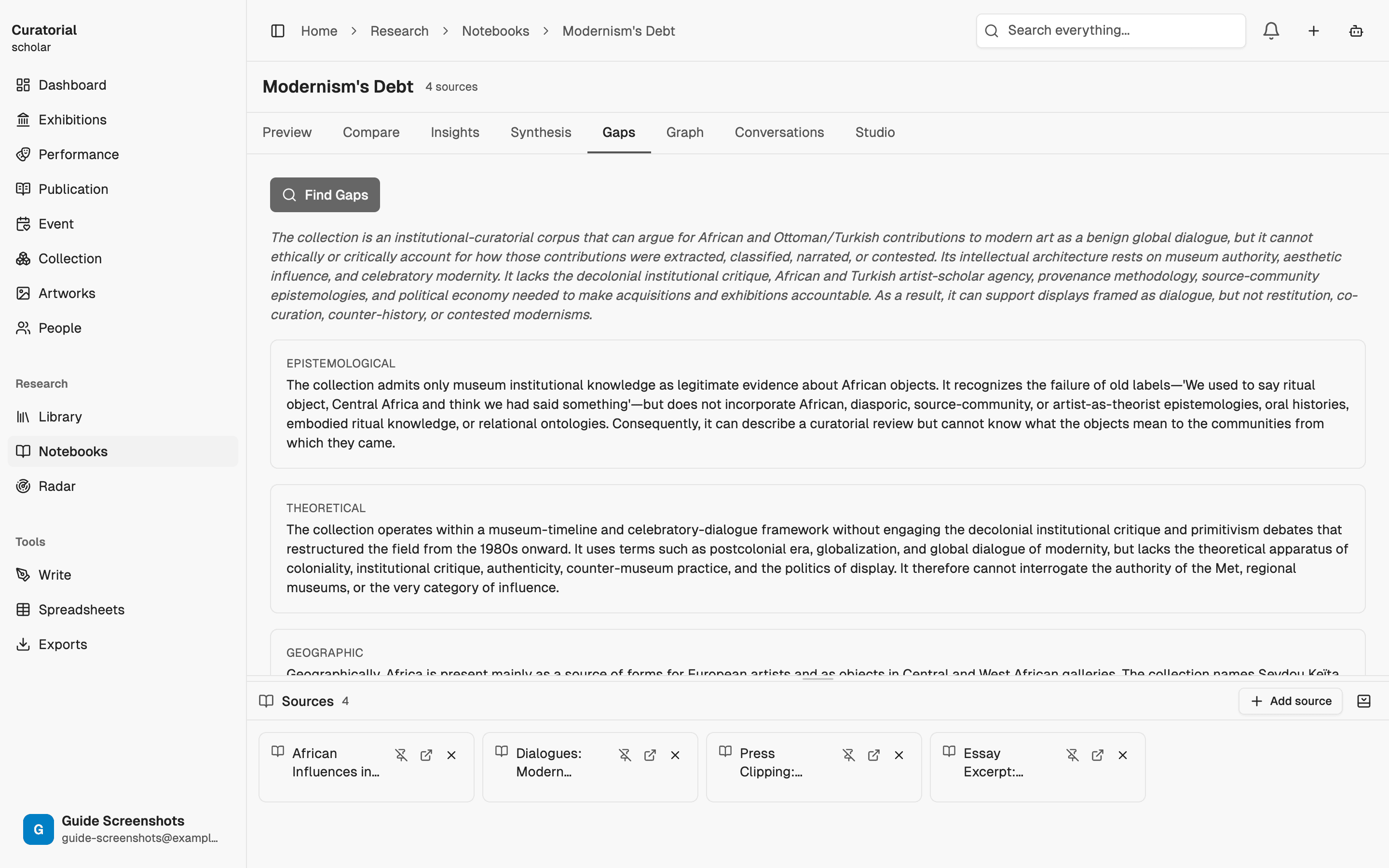
Rédiger
Rassemblez vos idées et rédigez un premier jet. Synthèse de recherche organise vos sources sous forme de tableaux pour la bibliographie et l’argumentation ; Accompagnement à la rédaction vous aide à élaborer la thèse avec vos propres mots ; et Hiérarchie des enjeux veille à la solidité de l’argumentation avant que vous ne peaufiniez le texte.
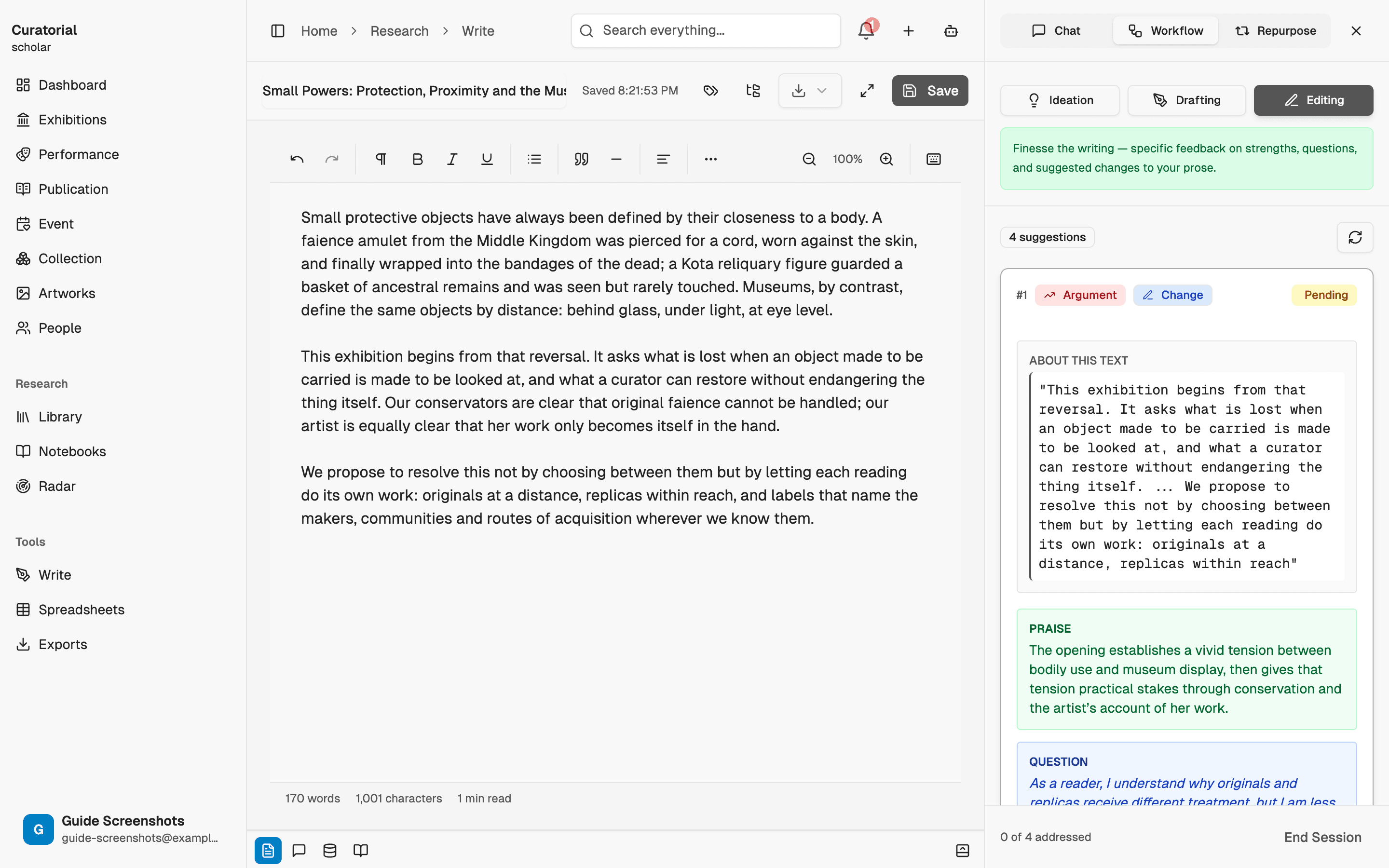
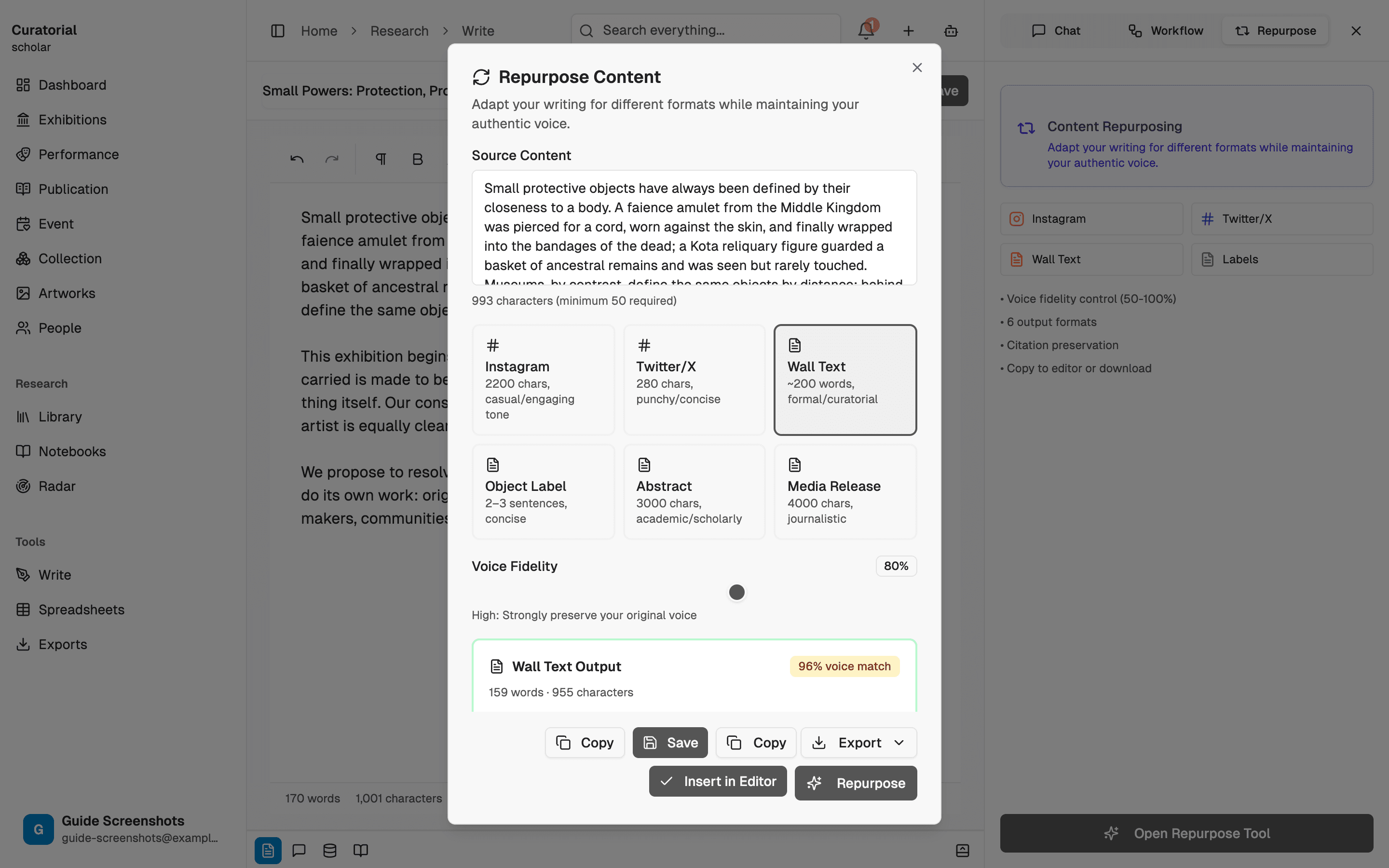
Déclinez-le pour tous les espaces où l’exposition prend vie
L’essai n’est qu’un des formats ; l’exposition en exige bien d’autres. Réutilisation des contenus le décline en textes muraux, cartels et publications sans vous faire perdre votre voix ; Gestionnaire de citations met en forme les références pour chaque contexte ; et Traduction culturelle le fait passer dans une seconde langue, pour un catalogue bilingue ou un partenaire international.
Le fil qui relie l’ensemble
Remarquez ce qui est resté constant : le travail — l’argumentation, le jugement, la voix — a toujours été le vôtre. Chaque outil s’est chargé de la partie mécanique, pour que vous puissiez consacrer votre attention à l’interprétation. Voilà toute l’idée. Curatorial ne cherche pas à concevoir l’exposition à votre place. L’objectif est de vous rendre les heures que l’administratif vous prenait, pour que l’exposition vous ressemble davantage, et non moins.
Vous ne suivrez pas ces étapes dans un ordre rigide. La recherche avance par boucles : une lacune repérée à l’étape quatre vous ramène à la collecte de l’étape un. L’ordre est une carte, pas un parcours.
Commencez ici
Entamez le parcours
Exhibition Logistics & Production
8 minThe other half of the show — loan agreements, budget, and the labels and press kit that go out the door
Projects & Library
5 minWhere everything lives — organize exhibitions as projects and build a searchable library of materials
The Curatorial Assistant
5 minYour always-present research partner — a chat that knows your library and follows what you're working on
Essay Coaching
7 minSocratic questions and structured feedback that deepen your thinking — never a ghostwritten draft
Préparez votre prochaine exposition
avec Curatorial.
Créez un projet et parcourez tout le chemin, de la première source au texte mural final. Gratuit pour commencer.
Essayer gratuitement