Outils de précision
Gestionnaire de citations
L’outil extrait les références bibliographiques de vos sources et les met en forme selon vos besoins — pour une citation universitaire ou un cartel — afin que vous n’ayez plus à retaper le même nom d’auteur et la même date dans six styles différents.
Quand l’utiliser
Chaque fois qu’une source doit figurer dans une bibliographie, une note de bas de page, un communiqué de presse ou un cartel — autrement dit, sans cesse au fil d’un projet. La citation n’est jamais la partie la plus intéressante du travail, mais une erreur suffit à donner à une recherche une apparence négligée. L’outil prend en charge cette tâche fastidieuse.
Indiquez une source
Choisissez un document et laissez l’outil en extraire les métadonnées bibliographiques — auteur, titre, année, éditeur, type de publication — en les lisant dans le document au lieu de vous obliger à les transcrire depuis la page de titre. Il reconnaît le type de source, pour attribuer à un article de revue, un livre ou une communication de colloque les champs qui leur correspondent.
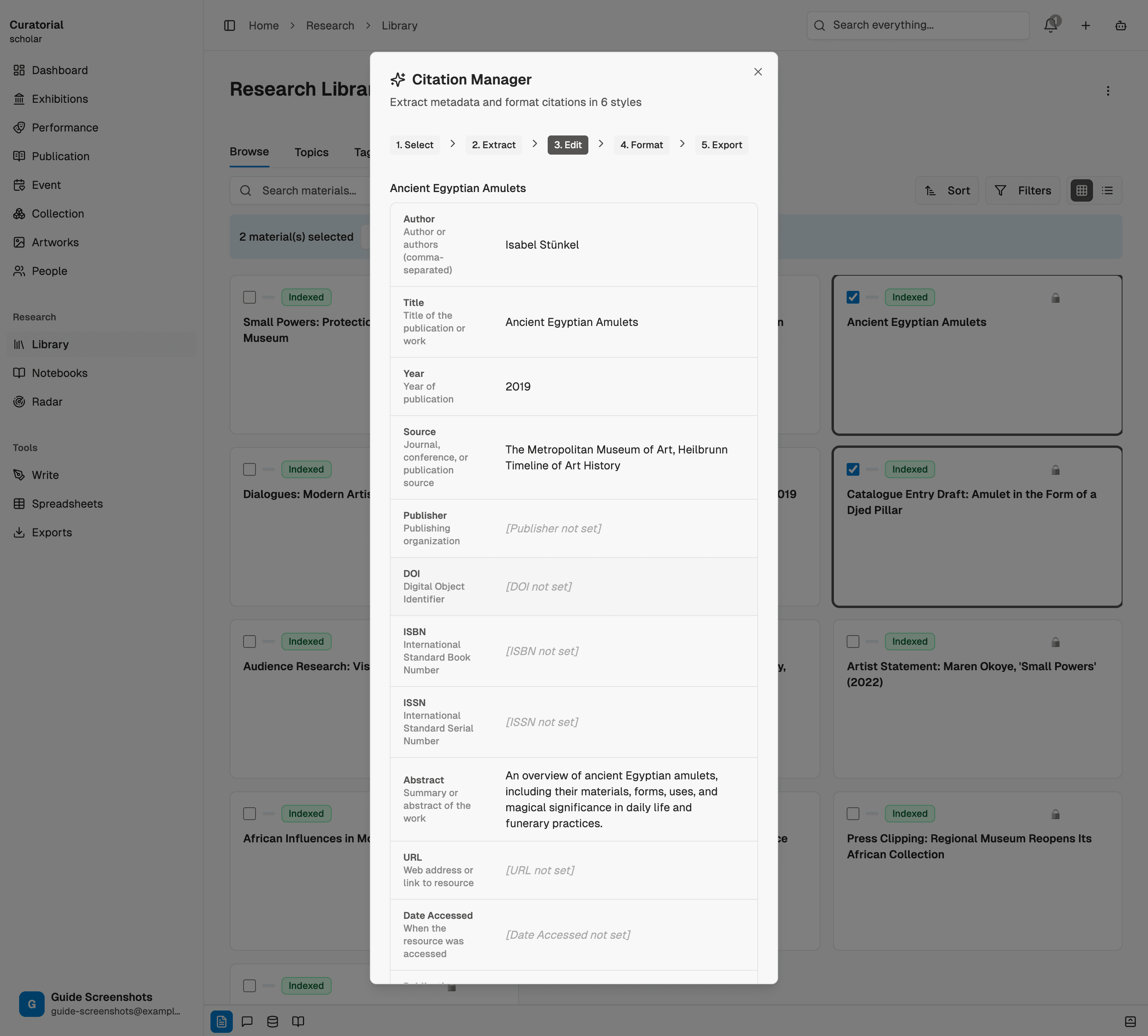
Jetez un œil aux champs extraits avant la mise en forme : la numérisation d’un ancien catalogue peut déformer une date, et c’est le moment de la corriger une fois pour toutes les styles.
Mettez-la en forme comme vous le souhaitez
À partir de cette seule extraction, générez la citation dans le format adapté à chaque contexte : APA, MLA ou Chicago pour un texte universitaire, BibTeX pour une bibliographie LaTeX, ou les deux formats auxquels les commissaires d’exposition ont vraiment recours — une citation pour un communiqué de presse et un crédit de cartel. Une même source, correctement présentée partout où elle doit figurer.
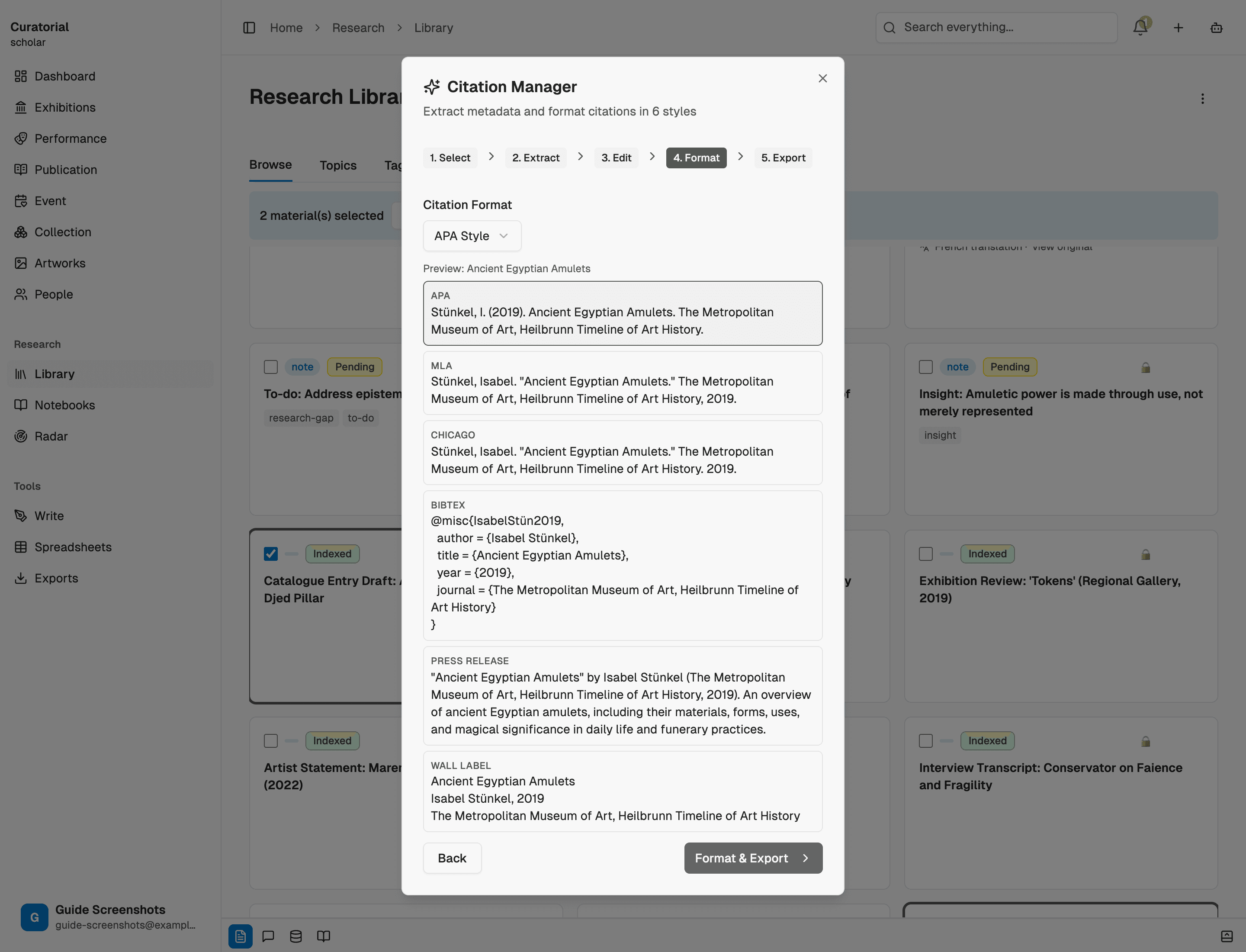
Copiez-la au bon endroit
Insérez directement la citation mise en forme dans votre essai, votre bibliographie, les supports graphiques de l’exposition ou le communiqué. Comme elle est générée à partir de métadonnées structurées, passer d’une charte éditoriale à une autre pour tout un projet ne demande qu’un nouvel affichage, pas une réécriture : le cauchemar de la mise en forme manuelle d’une bibliographie n’a tout simplement pas lieu d’être.
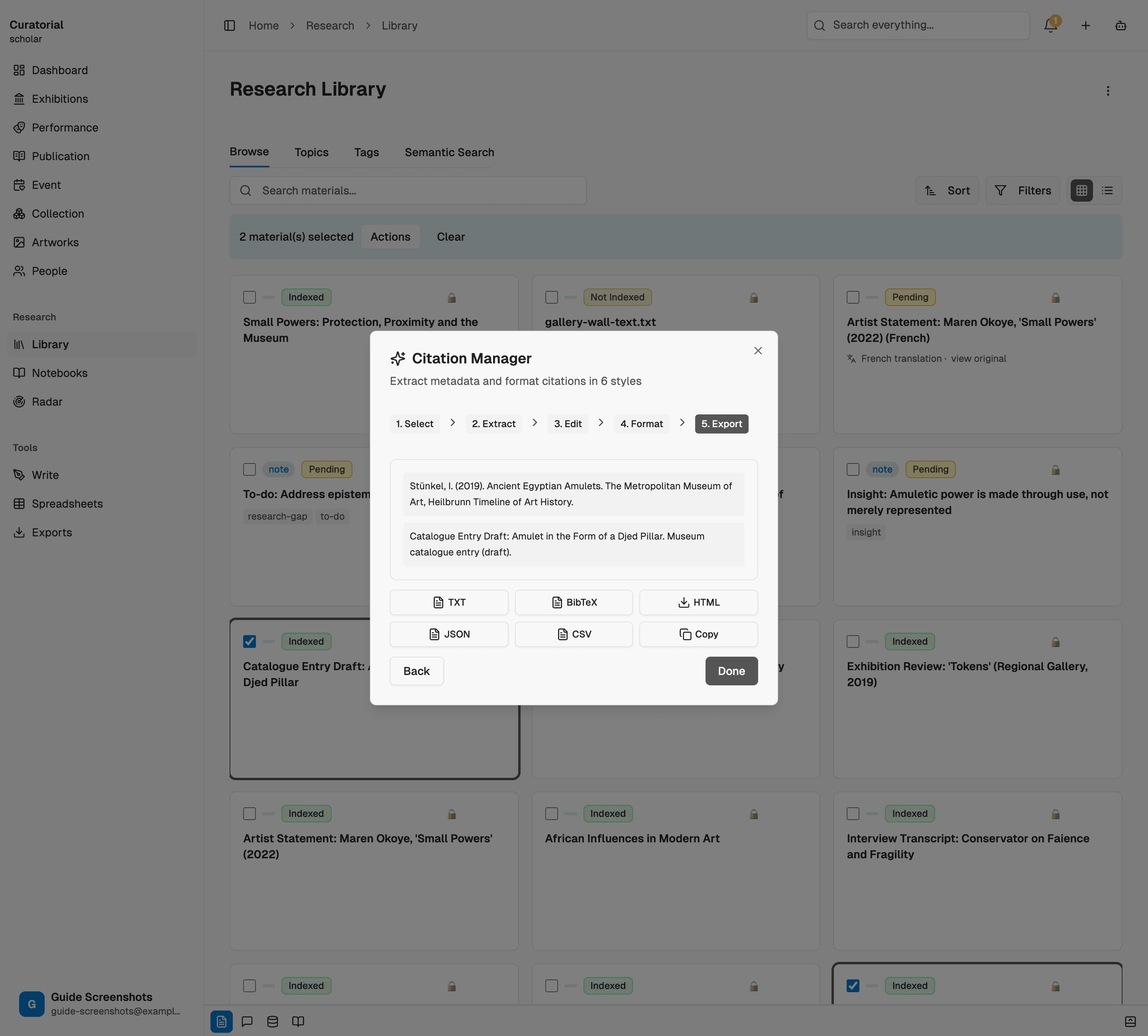
Ce que l’outil fait — et ne fait pas
Il extrait les métadonnées et les met correctement en forme selon six styles, transformant une heure de réglages minutieux en quelques secondes. Il ne remplace pas votre regard lors de la relecture finale : une source traitée par OCR peut comporter une initiale erronée ou une date mal numérisée, et la citation n’est fiable que dans la mesure où le champ dont elle provient l’est. Vérifiez une fois au moment de l’extraction ; ensuite, mettez en forme librement.
L’extraction des métadonnées de citation d’une source coûte environ 1 000 jetons — et le passage d’un style à l’autre est ensuite pratiquement gratuit.
Pour aller plus loin
D’autres outils de précision
Research Synthesis
5 minGenerate structured data matrices across multiple sources — exportable to CSV/JSON
Cultural Translation
4 minTranslate across eight languages while preserving citations and academic register
Comparative Analysis
5 minSide-by-side source comparison with contradiction scoring and common ground detection
Citez une fois.
Mettez-la en forme partout.
Importez une source et obtenez une référence impeccable dans tous les formats dont vous avez besoin. Vous pouvez commencer gratuitement avec Curatorial.
Essayer gratuitement