Workflows
Exhibition Logistics, start to finish
Plan an Exhibition covers the research and the writing. This one covers everything else a show needs before it opens: agreements with lenders and artists, a budget you can actually track, and the labels and press kit that leave the building.
None of this is glamorous, and all of it is what actually gets a show on the wall. Curatorial doesn't automate the judgment calls — who to invite, what to pay, what the label says — but it gives you a paper trail, a live budget, and export-ready output instead of a folder of half-finished Word documents.
Activate the agreements you need
Open the Workflows tab on your exhibition. There are six agreement types — loan, artist invitation, writer commission, participation, artwork commission, and copyright license — each backed by a real template with the right fields for that relationship. Loan agreements and artist invitations can auto-group by lender, so one activation drafts a document per person, not per artwork. Each document tracks its own status as it moves: draft, issued, viewed, negotiating, agreed, or declined.
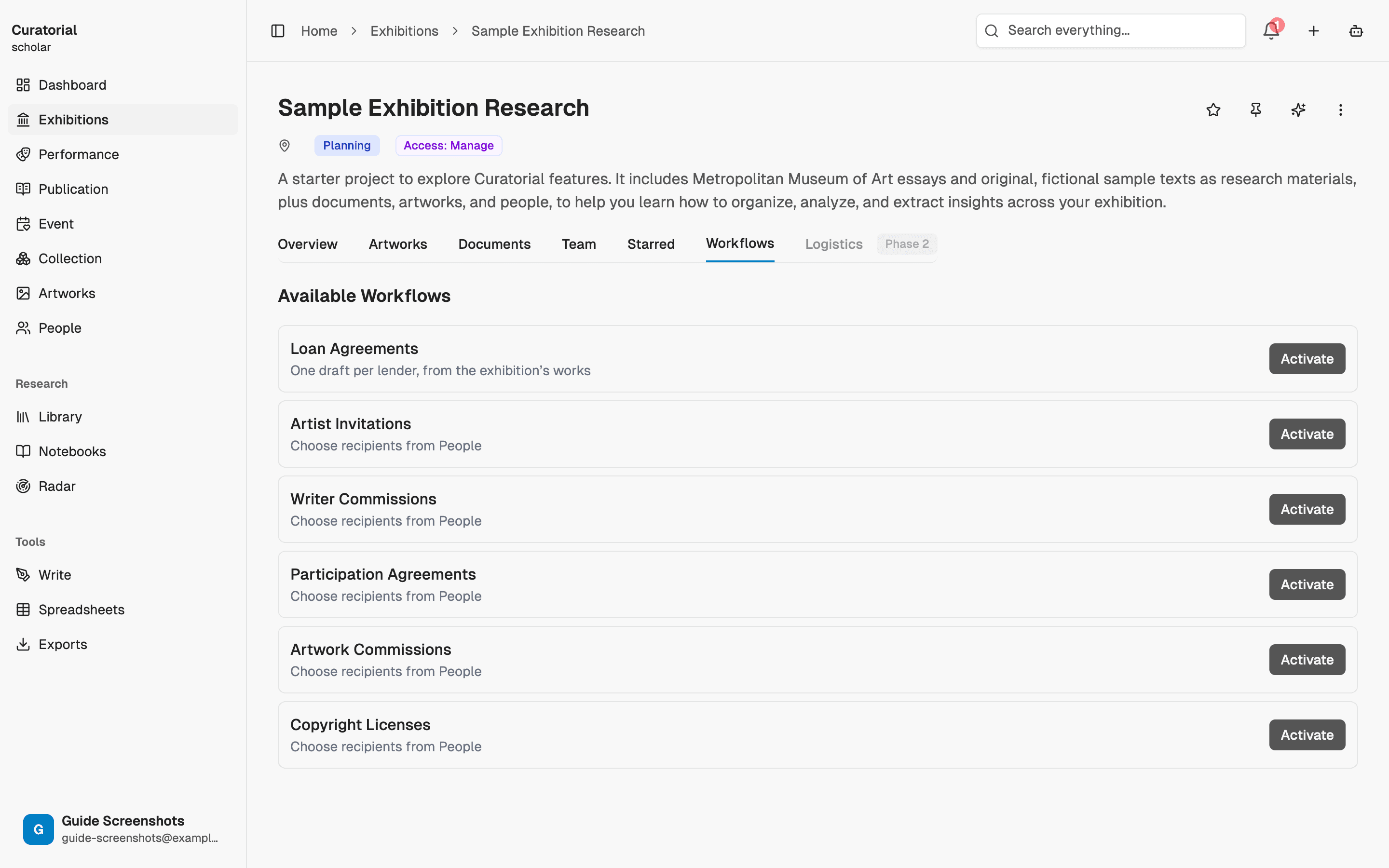
Loan and invitation workflows group lenders automatically. The others — commissions, participation, licenses — are one document per person, because those relationships aren't naturally grouped by artwork.
Track the budget as it moves
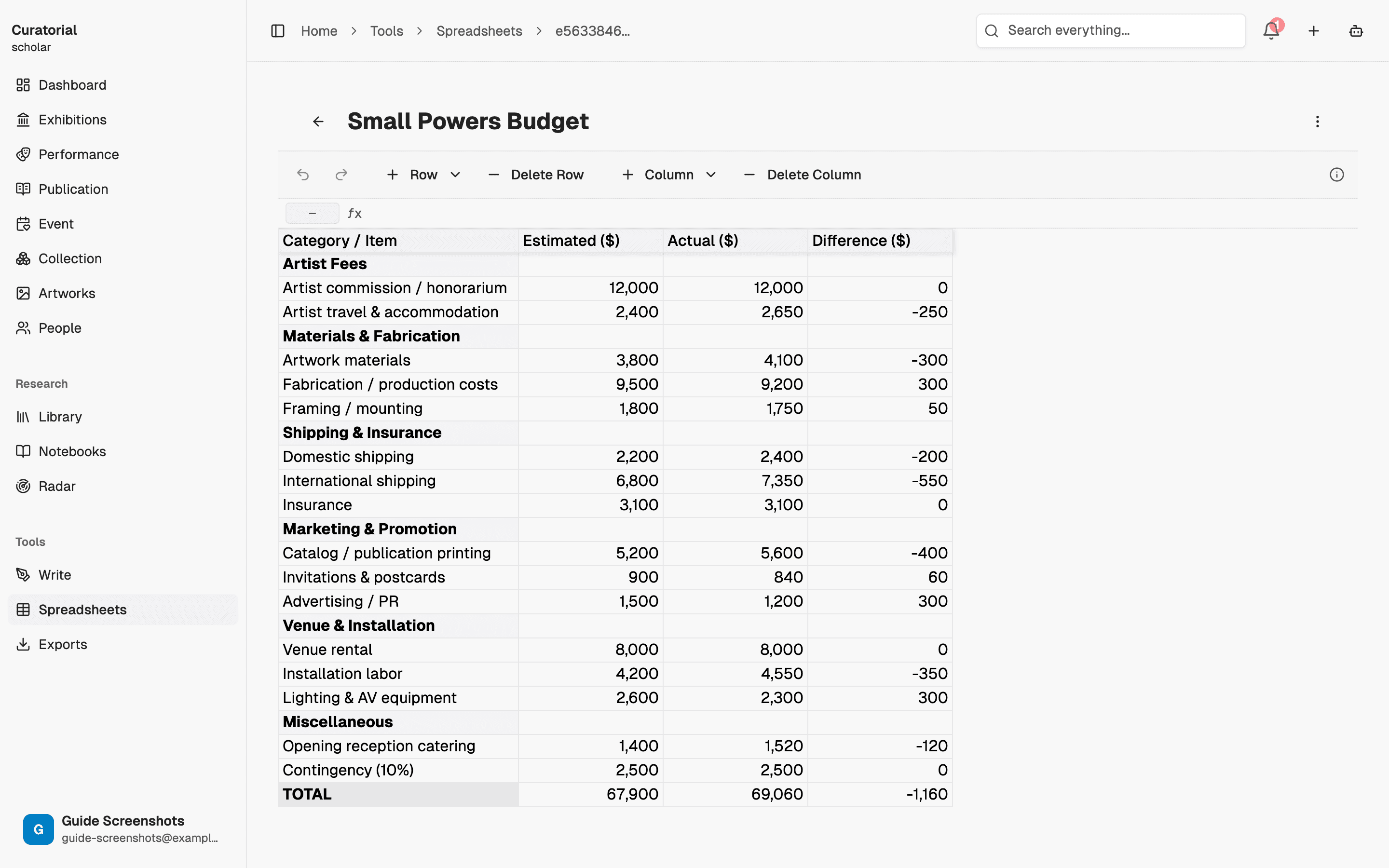
Create a budget spreadsheet from Spreadsheets — it's a real spreadsheet, not a static template: line items, formulas, and totals you edit directly, organised into the categories a show actually needs (artist fees, materials and fabrication, shipping and insurance, marketing, venue and installation). Same tool handles a timeline or a checklist if that's the shape the work takes instead.
Generate the labels
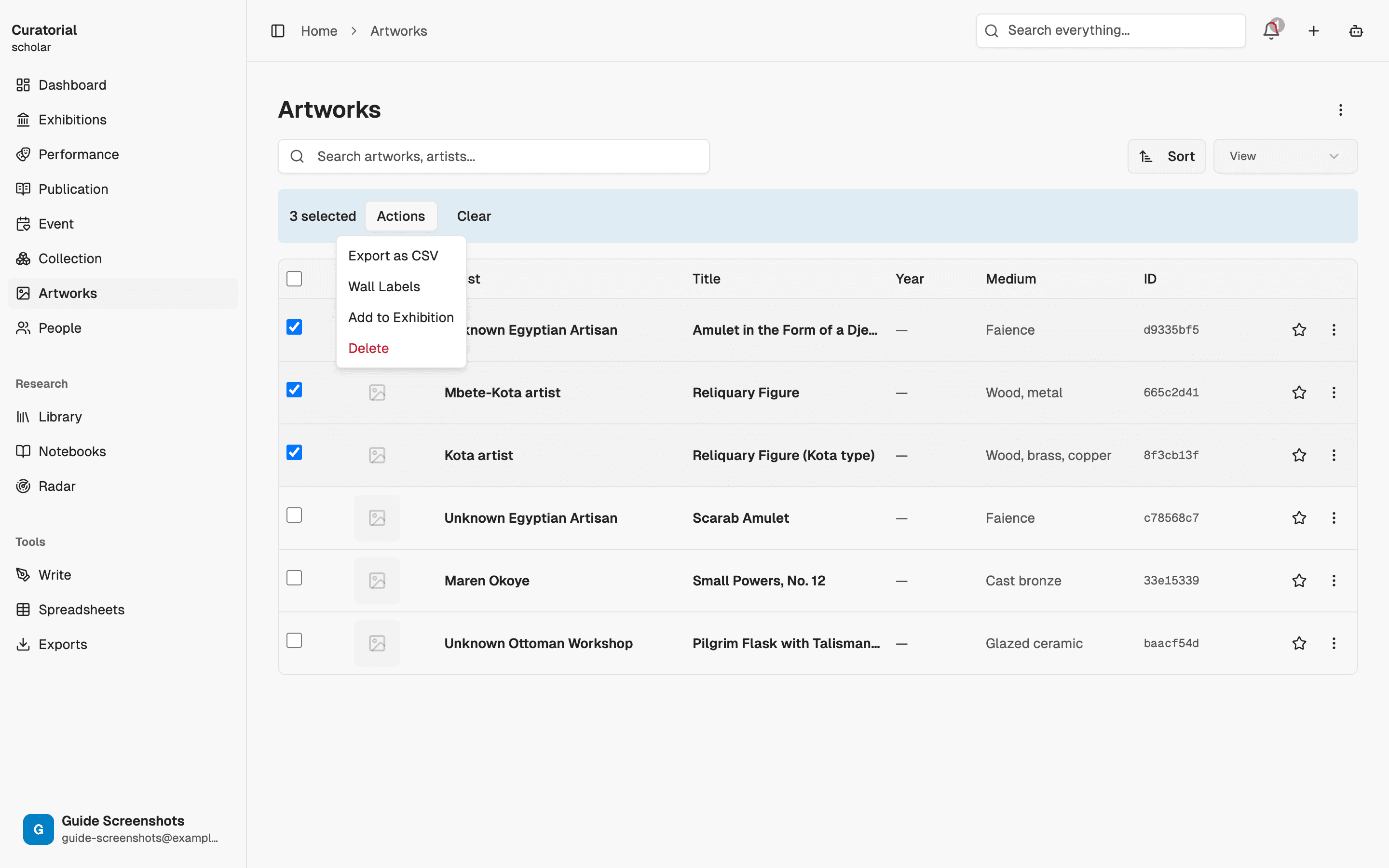
Select artworks in the library and export wall labels in bulk — tombstone (3x5 or 4x6), standard, loan, or conservation layout, as a single combined PDF or DOCX, one label per page. Pulls artist, title, date, medium, dimensions, and credit line straight from the artwork record, so it can't drift from what's actually catalogued.
Build the media kit
The Media Kit builder on the exhibition page assembles everything the press needs in one pass: media release, images, people (curators, artists, contacts), and a gallery description. Select the markets you're distributing to and each one gets its own variant — the release text is translated and adapted in tone for that market, not just copy-pasted.
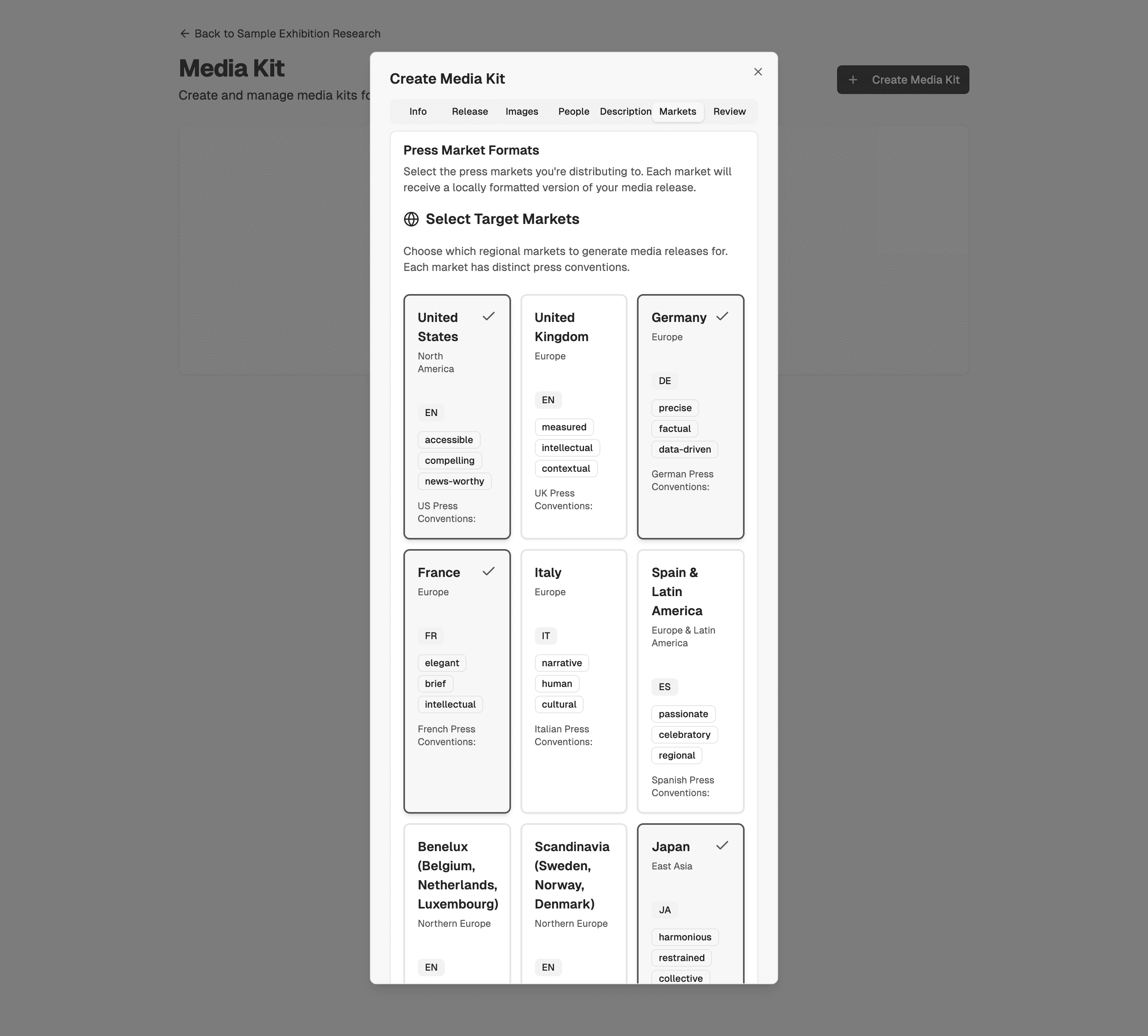
Build the media kit after the press release is close to final. Re-running the translation step after edits means re-checking every market's variant, not just proofreading one.
The paper trail is the point
None of these tools make the decisions for you — who to invite, what to pay, what the label copy should say. What they save is the hours spent re-typing the same artwork details into six documents, or reconciling a budget spreadsheet nobody trusts, or discovering the press release for one market never got adapted for another. The paperwork still needs your judgment. It doesn't need your typing.
This guide and Plan an Exhibition run in parallel, not in sequence. Start agreements and the budget as soon as the show has a shape — don't wait for the essay to be finished.
Keep going
The rest of the arc
Plan an Exhibition, Start to Finish
9 minThe whole arc — from a stack of sources to a written show — using the tools together, in order
Projects & Library
5 minWhere everything lives — organize exhibitions as projects and build a searchable library of materials
Content Repurposing
4 minTransform essays into Instagram, Twitter, wall text, or labels while preserving your voice
Run the whole show
from Curatorial.
Create a project and try the agreements, the budget, and the exports on your own show. Free to start.
Try it free