Getting the most from Curatorial
Projects & Library
Before any of the AI tools mean anything, you need somewhere for your work to live. A project is a show; the library is everything you've gathered for it. This is the ground the rest is built on.
Two ideas, and everything hangs off them
A project holds one body of work — usually an exhibition. Your library holds the materials: the papers, catalogues, statements, and press you've collected. Every other guide starts with "select a material" or "open a project" — this is the guide that gets you to that starting line.
Create a project
Start a project and name it for the show you're working on. Give it a title, a location and opening and closing dates; add a description if you like. None of it is locked in — change any of it as the show changes.
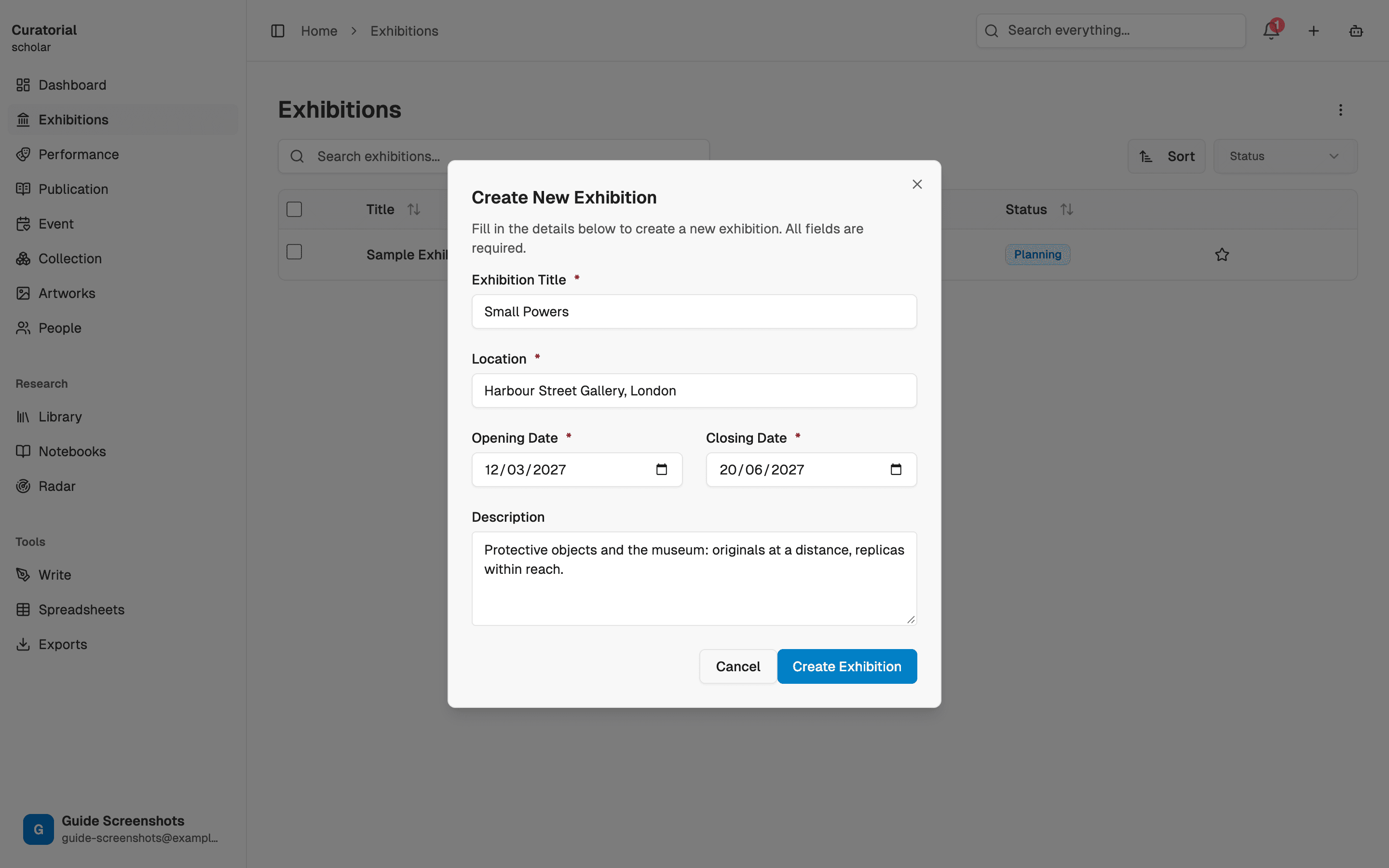
On a free plan you get one project — plenty to learn the tools on. Pro lifts the limit when you're running several shows at once.
Build your library
Upload the materials you're working from — PDFs, images, press documents. Drop in one at a time as you find them, or bring in a whole set at once when you're starting from an existing pile of research. Each material becomes something the AI tools and the Assistant can read, cite, and reason across.
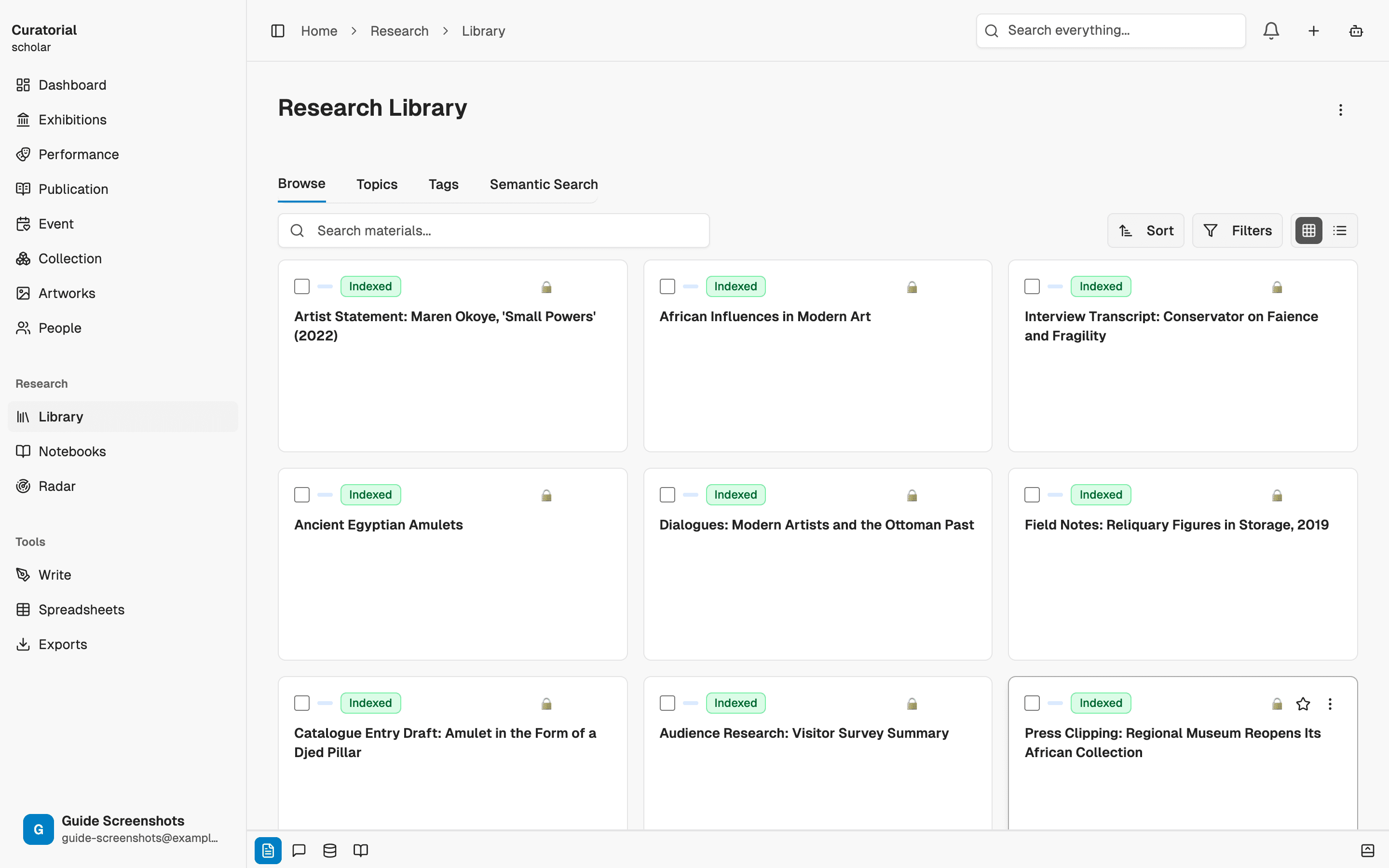
Let it index — that’s the important part
After upload, each source is processed and indexed so it can be searched by meaning and pulled into answers. This happens in the background and takes a moment. It's the quiet step that makes everything else work: a material that hasn't finished indexing yet won't show up in semantic search or ground the Assistant, so give new uploads a beat before you rely on them.
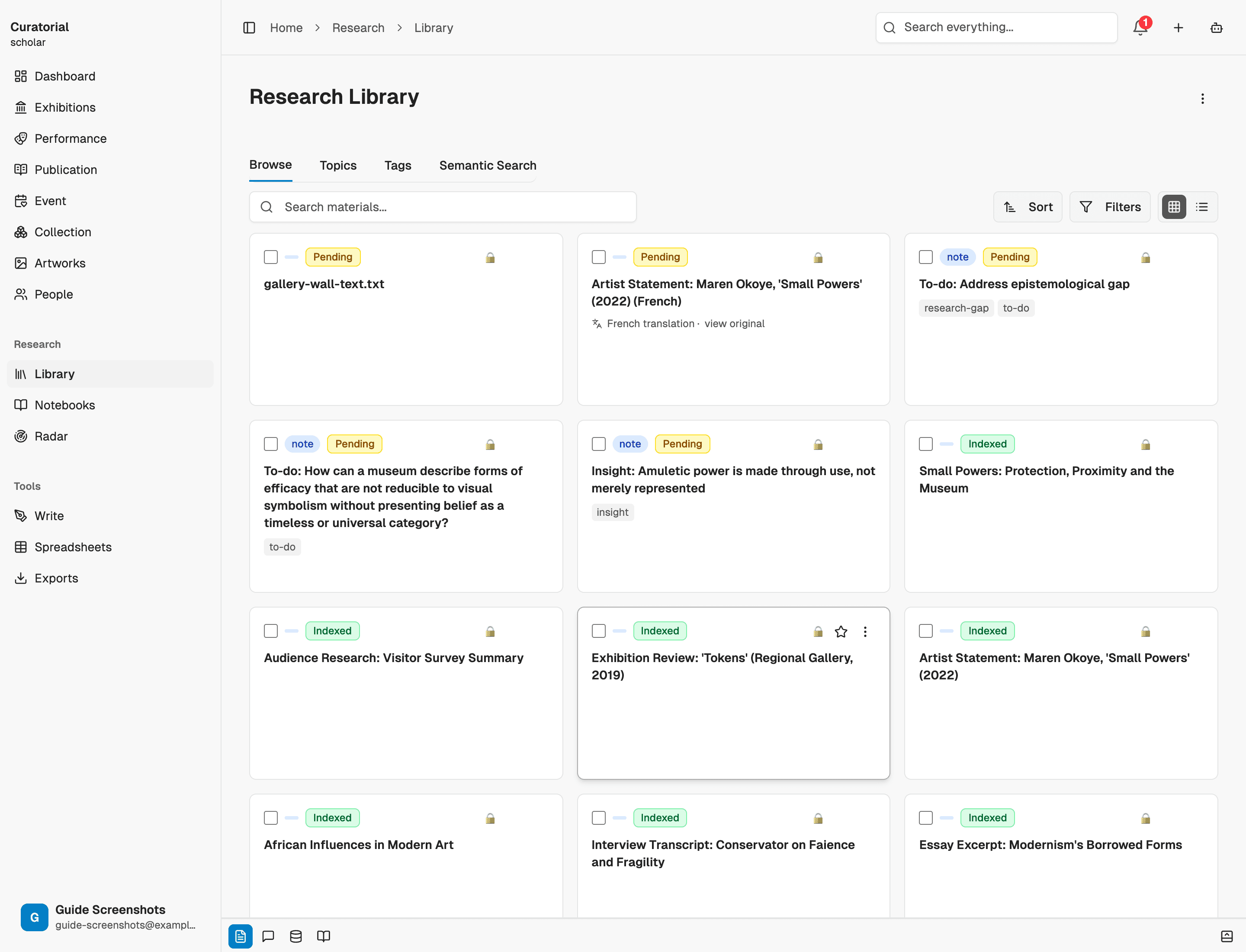
Find anything, fast
As the library grows, you stop scrolling and start searching. Filter and search across your materials to pull up exactly what you need, then hand a selection straight to a tool — extract insights from it, map its connections, compare it against another source. The library isn't storage; it's the launch point for every analysis.
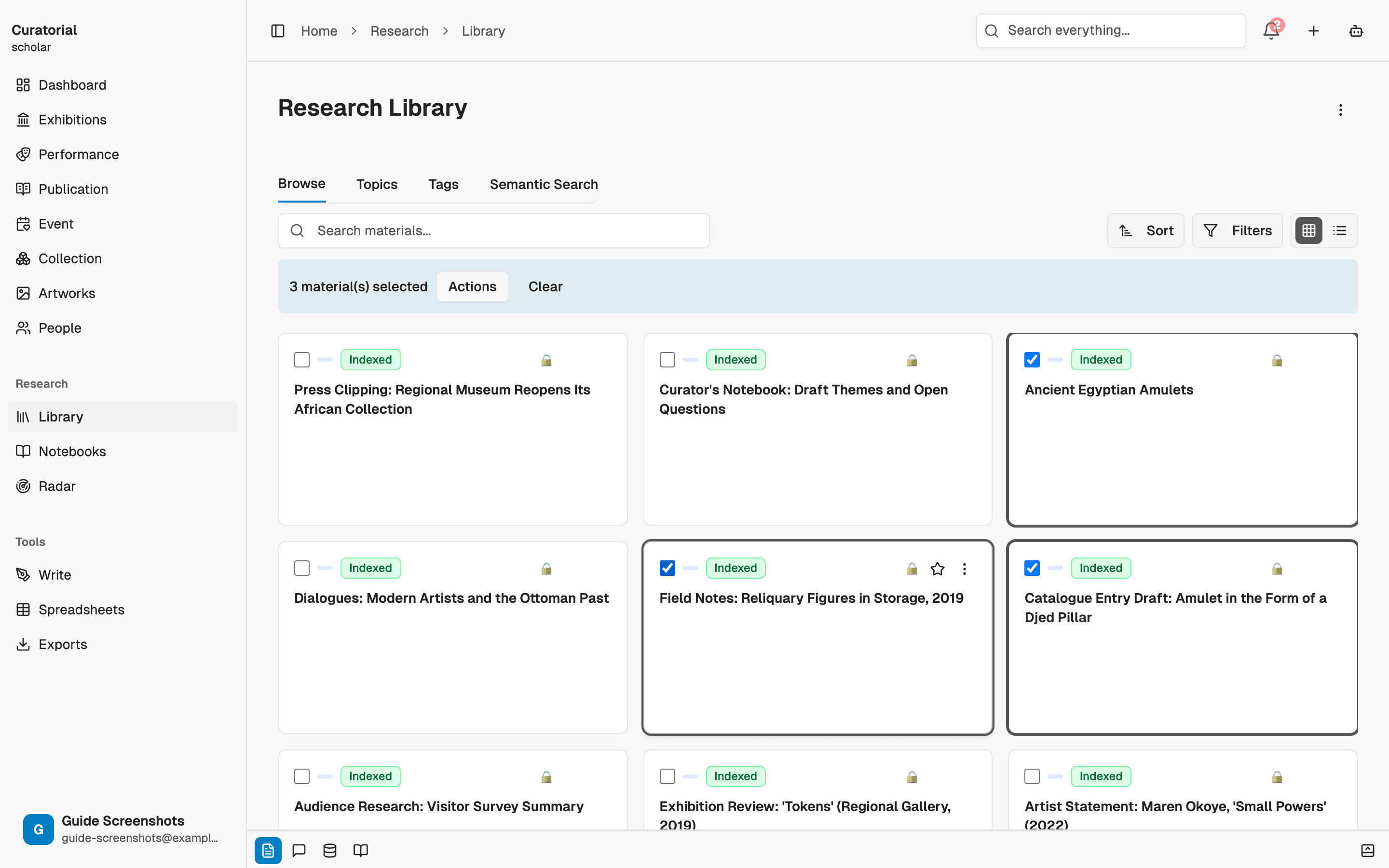
The mental model
Think of a project as the show and the library as its evidence base. You spend a little time up front getting materials in and indexed, and everything after that — the insights, the connections, the essay, the assistant — draws on that foundation. Time invested in a clean, well-stocked library is repaid by every tool that reads from it.
A good first session is just this: create a project, upload three or four real sources, and let them index. You’re then ready for every other guide.
What comes next
Now put the library to work
Topics
4 minGroup materials by theme across projects — the connective tissue between your research and your shows
Insight Extraction
4 minMap the argument inside a source — claims, evidence, and counter-positions — not a summary
Notebooks
6 minA focused workspace for a question — add sources, chat with grounded answers, generate briefings and timelines
Start with
a project.
Create your first project and build a library in minutes. Curatorial is free to start.
Try it free