Writing tools
Content Repurposing
One essay becomes a wall text, a label, a post — without becoming generic. It handles the brutal format constraints and scores how much of your voice survived the shrink.
When to reach for it
The show is written; now it has to exist in five other lengths. A 3,000-word essay has to become a 50-word wall text, a 25-word label, and something a gallery can post — each a different discipline, each usually flattening the writing into interchangeable museum copy. This is the tool that resists the flattening.
Start from finished writing
Bring the essay, catalogue text, or statement you want to adapt. Repurposing works from a source you're happy with — it's a translation between formats, not a first draft, so the better the original, the better everything derived from it.
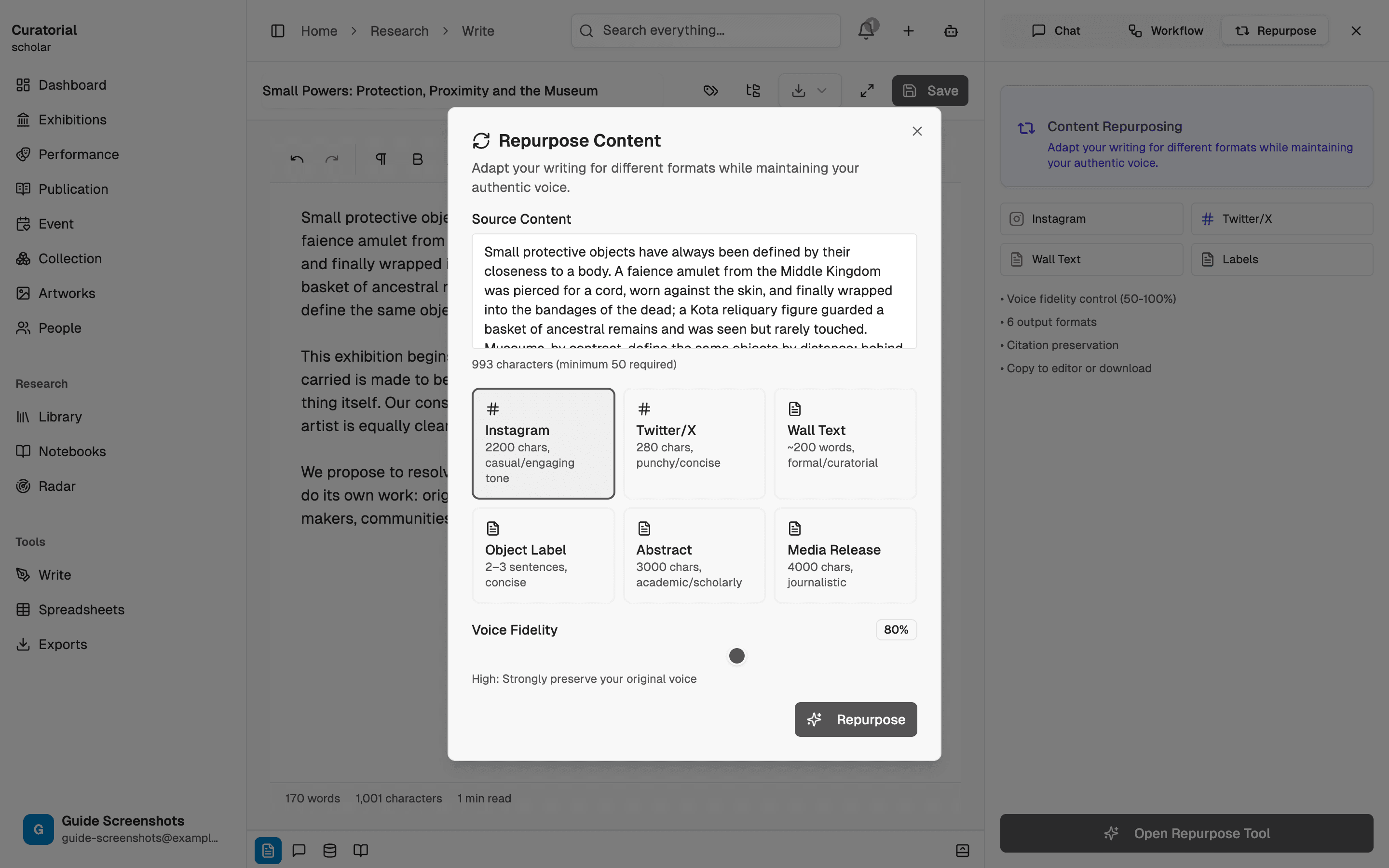
Choose the format
Pick a target: a wall text in a formal curatorial register, a short object label, an Instagram caption, or a tighter post. Each format carries its own real constraints — the label is a couple of dozen words, the caption a couple of thousand characters — and the tool writes to those limits so you're not counting characters by hand.
The label is the hardest format, not the easiest — 25 words that still sound like you is a real test. Generate it first while your attention is fresh.
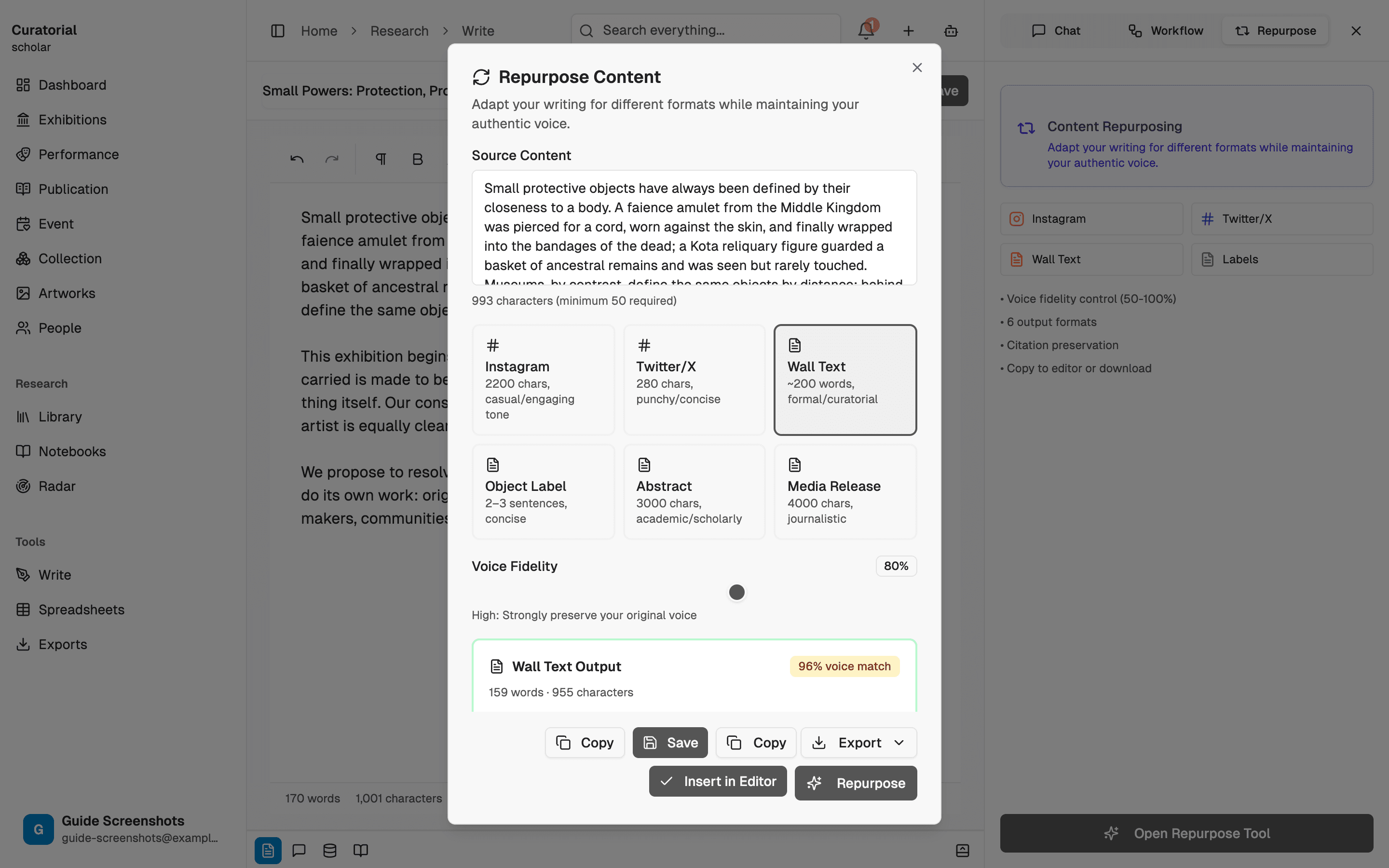
Check the voice fidelity score
Every adaptation comes with a score for how much of your voice survived the compression. This is the number that matters: a wall text can hit its word count and still read like it was written by the building rather than by you. A high score means the shorter version still sounds like your hand. A low one is your cue to intervene.
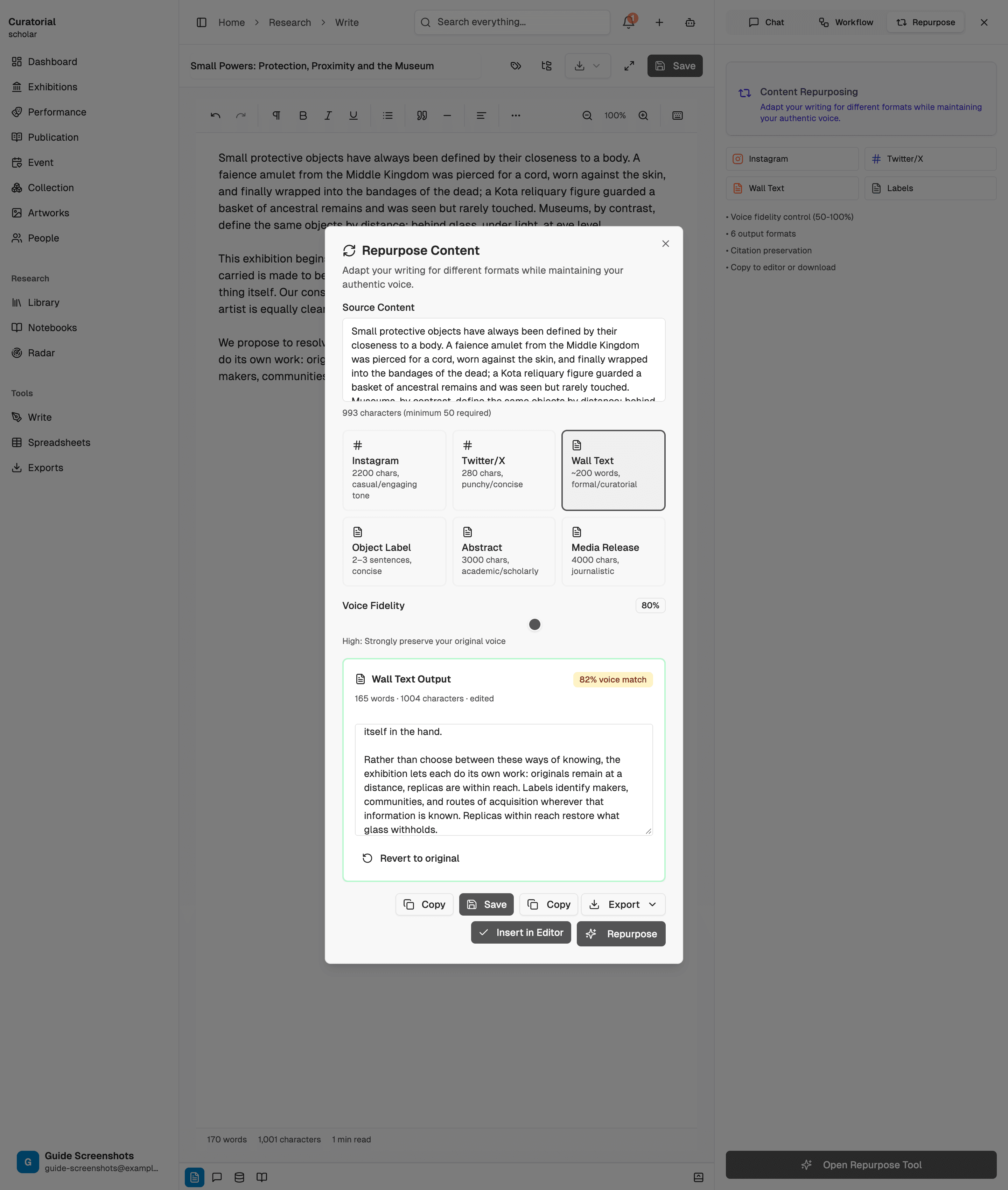
Edit, and keep what fits
Treat the output as a strong first pass, not a final. Trim, re-weight, restore a phrase the compression dropped. If you've taught the tool your style, the fidelity starts higher and you edit less — the two writing tools compound. Then take the finished piece wherever it needs to go: the wall, the label, the feed.
What it will — and won’t — do
It handles the mechanics of each format — the length, the register, the citation style — and tells you honestly how much voice it cost. What it won't do is decide what to sacrifice: in 25 words, something from the essay has to go, and which idea survives is a curatorial choice, not a word-count one. The tool does the compression; you keep the editorial control over what's lost.
Repurposing into a format costs roughly 2,000 tokens — a couple of cents per version, against re-writing each one from scratch.
What comes next
Around the writing desk
Essay Coaching
7 minSocratic questions and structured feedback that deepen your thinking — never a ghostwritten draft
Style Learning
4 minTeach the AI your voice — tone, vocabulary, sentence rhythm, and phrasing — for suggestions that sound like you
Cultural Translation
4 minTranslate across eight languages while preserving citations and academic register
One voice,
every format.
Turn one essay into a wall text, a label, and a post — and keep it sounding like you. Free to start.
Try it free