Tirer le meilleur parti de Curatorial
Thèmes
Un thème qui dépasse le cadre d’une seule exposition. Les thèmes rassemblent vos ressources autour d’une idée plutôt que d’un projet, pour qu’un fil de pensée vous accompagne d’une exposition à l’autre.
Le thème qui traverse les projets
Un projet, c’est une exposition. Un thème, c’est une préoccupation — celle à laquelle vous revenez d’une exposition à l’autre : le travail, le corps, une région, un matériau. Les projets permettent au commissaire d’organiser les livrables ; les thèmes donnent une cohérence à sa pensée au fil des années. Curatorial offre à cette pensée un lieu où s’inscrire, plutôt que de la disperser entre des projets sans lien.
Donnez un nom à un thème
Créez un thème et décrivez le fil qu’il représente. Attribuez-lui un statut — actif tant que vous y travaillez, en pause lorsqu’il passe au second plan, archivé lorsqu’il a fait son temps — afin que votre liste de préoccupations reflète vos centres d’intérêt du moment, et non tout ce qui vous a traversé l’esprit.
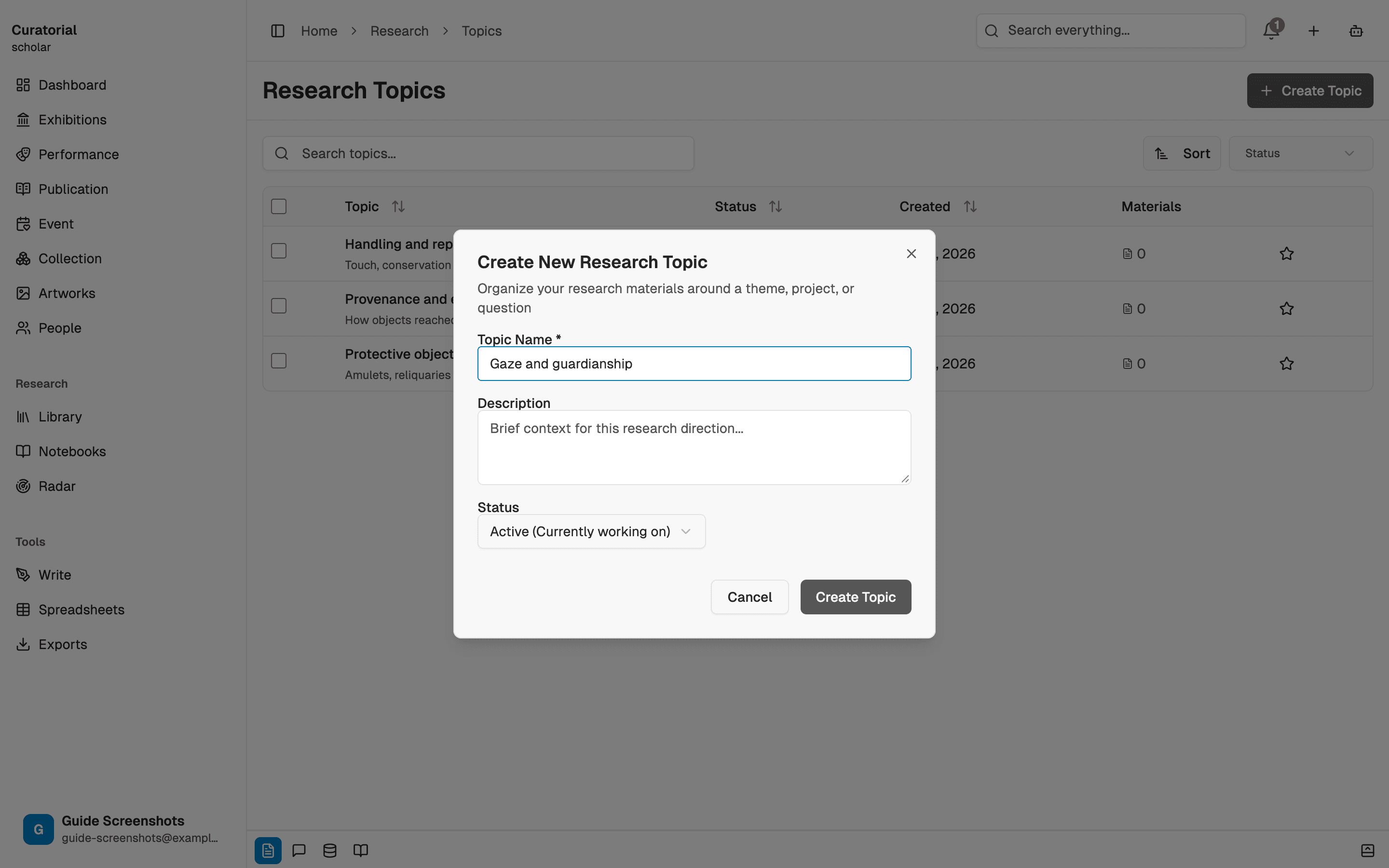
Rassemblez-y des ressources
Ajoutez des ressources à un thème et étiquetez-les : une source peut ainsi appartenir à la fois à un projet et à un thème. Le catalogue utilisé pour l’exposition collective de l’an dernier peut aussi figurer dans votre thème en cours sur les pratiques régionales : une même ressource, deux usages, sans doublon.
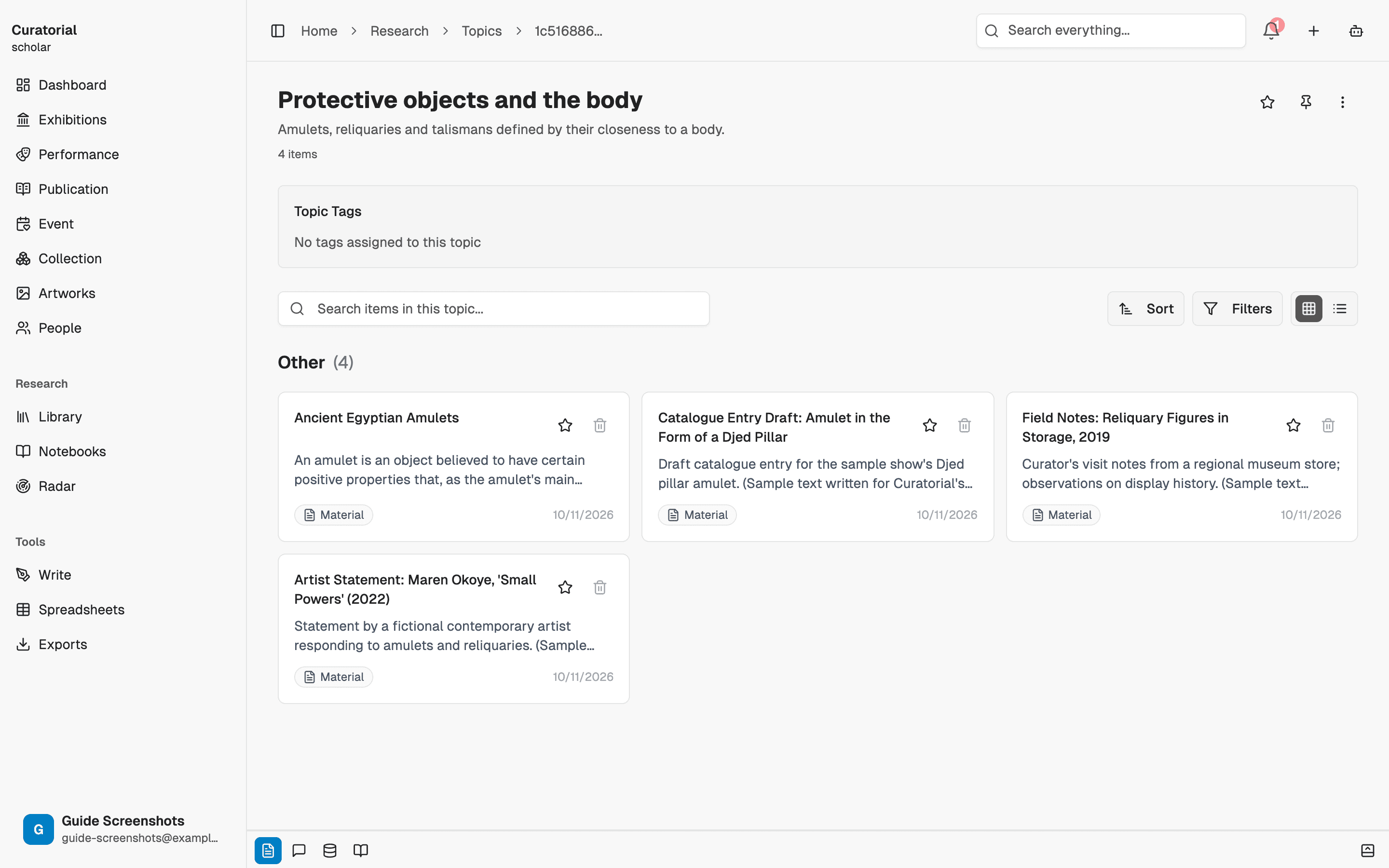
Les étiquettes sont votre allié discret : utilisez-les avec constance et un thème fera presque de lui-même remonter les ressources pertinentes.
Reliez les thèmes aux expositions
Un thème peut être relié aux expositions qu’il a nourries. Lorsqu’une préoccupation devient enfin une exposition, le thème fait le lien entre des années de recherche et l’exposition qui en est née — et garde la trace des expositions où un intérêt de longue date a déjà pris forme.
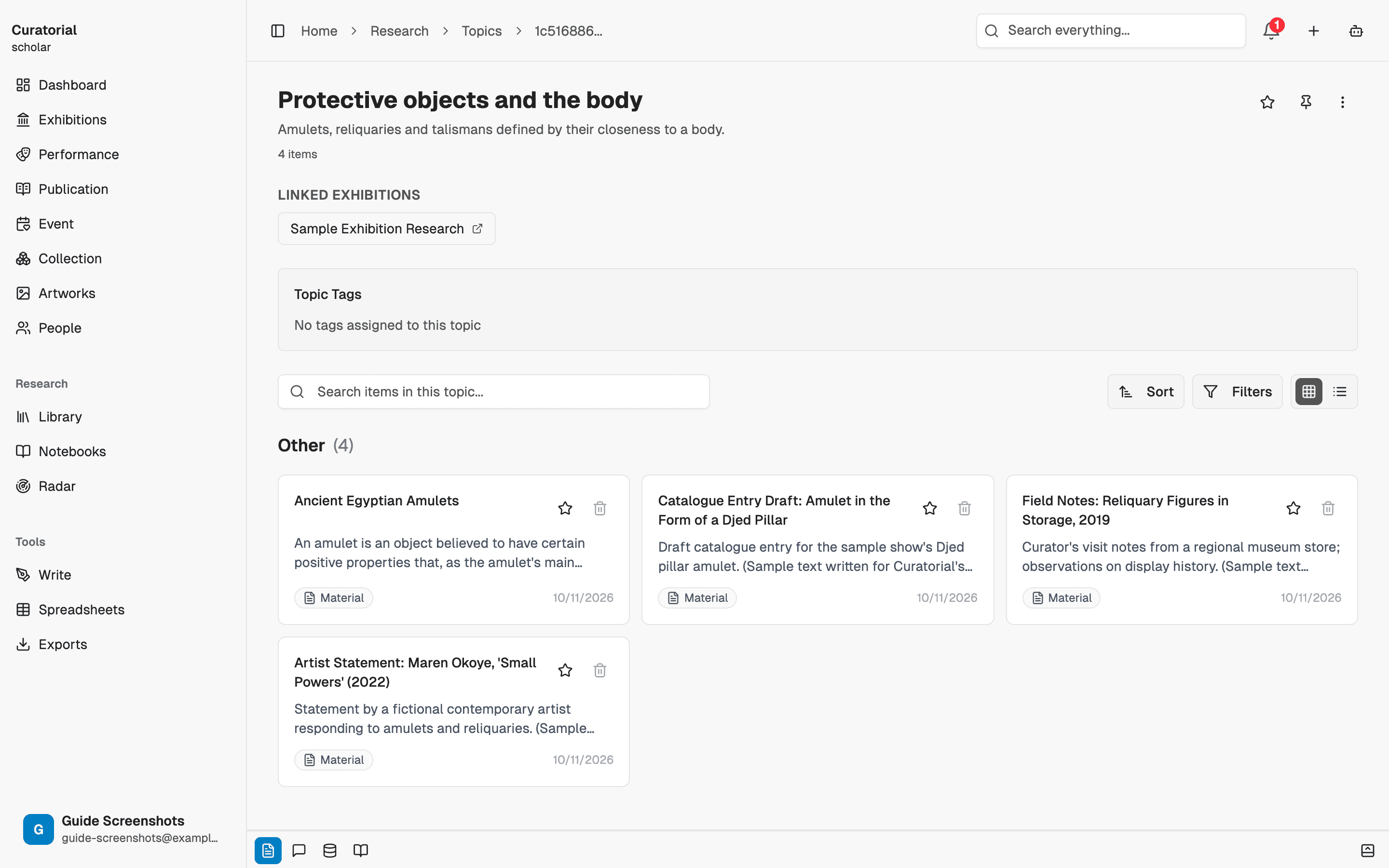
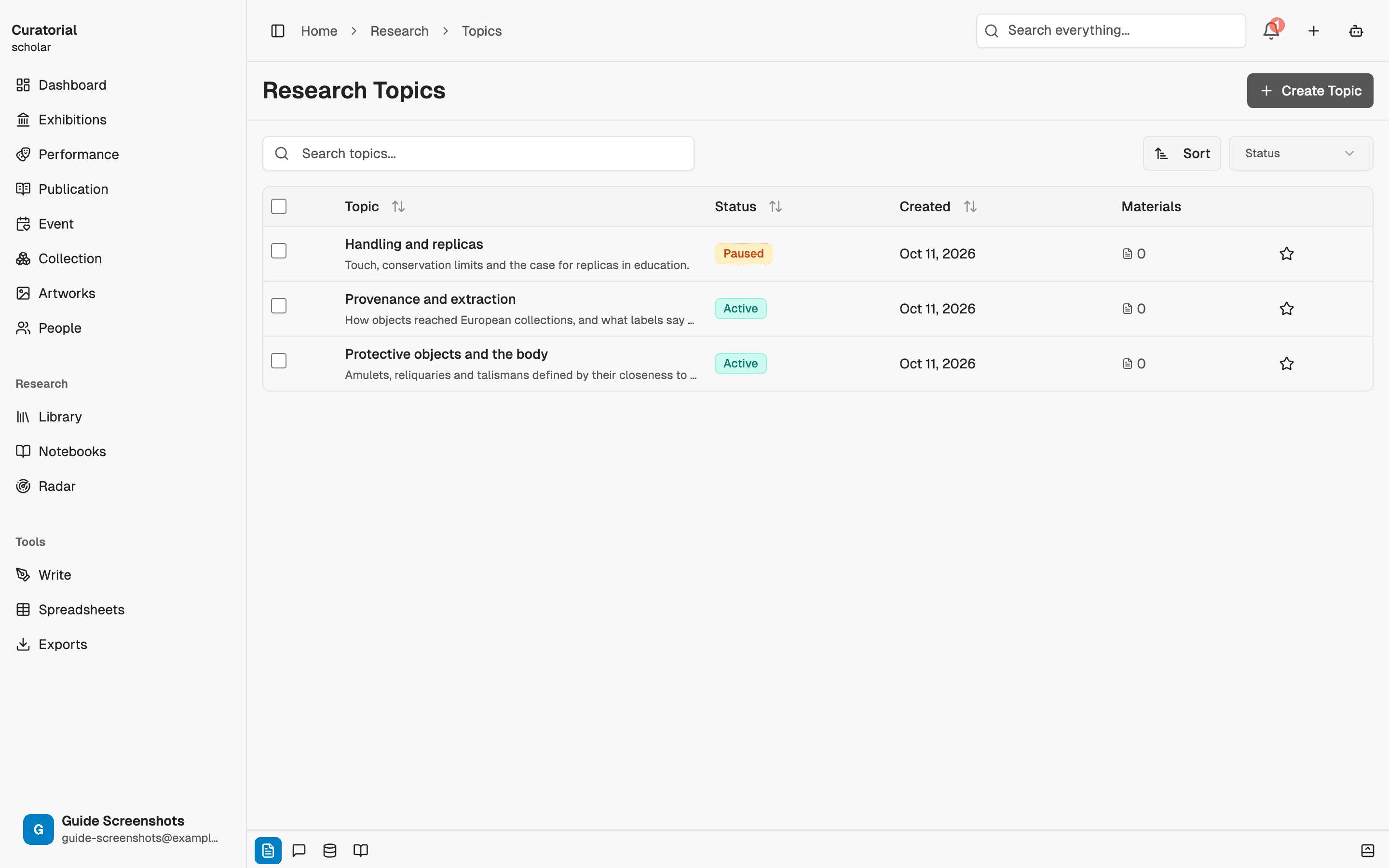
Gardez une liste fidèle à vos intérêts
Classez vos thèmes par priorité pour garder en tête ceux qui comptent aujourd’hui, et laissez les autres en pause ou archivés sans encombrer la vue. Avec le temps, cette liste devient une véritable cartographie de votre pratique : ce sur quoi vous travaillez, ce que vous avez mis de côté et ce à quoi vous revenez sans cesse.
Projets ou thèmes
Choisissez un projet lorsque votre unité de travail est une exposition avec une échéance et une liste de tâches. Choisissez un thème lorsqu’il s’agit d’une idée sans date de fin. La plupart des démarches curatoriales sérieuses relèvent des deux à la fois : une exposition précise qui s’appuie sur un intérêt de longue date. Les thèmes permettent à cet intérêt de s’enrichir au fil du temps, plutôt que de repartir de zéro à chaque nouveau projet.
Un thème constitue un excellent point de départ pour un carnet : créez-en un à partir d’un thème et il contiendra d’emblée les sources pertinentes.
Et ensuite
Donnez vie à un thème
Notebooks
6 minA focused workspace for a question — add sources, chat with grounded answers, generate briefings and timelines
Connection Mapping
5 minDiscover relationships between your materials with interactive graph visualization
Projects & Library
5 minWhere everything lives — organize exhibitions as projects and build a searchable library of materials
Offrez à vos thèmes
un espace.
Créez un thème et laissez un fil de pensée se tisser au fil de vos expositions. Gratuit pour commencer.
Essayez gratuitement