Cómo sacar el máximo partido a Curatorial
Proyectos y biblioteca
Antes de que las herramientas de IA puedan serle útiles, necesita un espacio donde desarrollar su trabajo. Un proyecto es una exposición; la biblioteca reúne todo lo que ha recopilado para ella. Esta es la base sobre la que se construye todo lo demás.
Dos ideas de las que parte todo
Un proyecto reúne un conjunto de obras, por lo general, una exposición. Su biblioteca reúne los materiales: artículos, catálogos, textos y notas de prensa que ha recopilado. Todas las demás guías empiezan con «seleccione un material» o «abra un proyecto»; esta le lleva justo hasta ese punto de partida.
Cree un proyecto
Inicie un proyecto y póngale el nombre de la exposición en la que está trabajando. Asígnele un título, una ubicación y las fechas de apertura y cierre; si lo desea, añada una descripción. Nada es definitivo: puede cambiarlo todo a medida que evolucione la exposición.
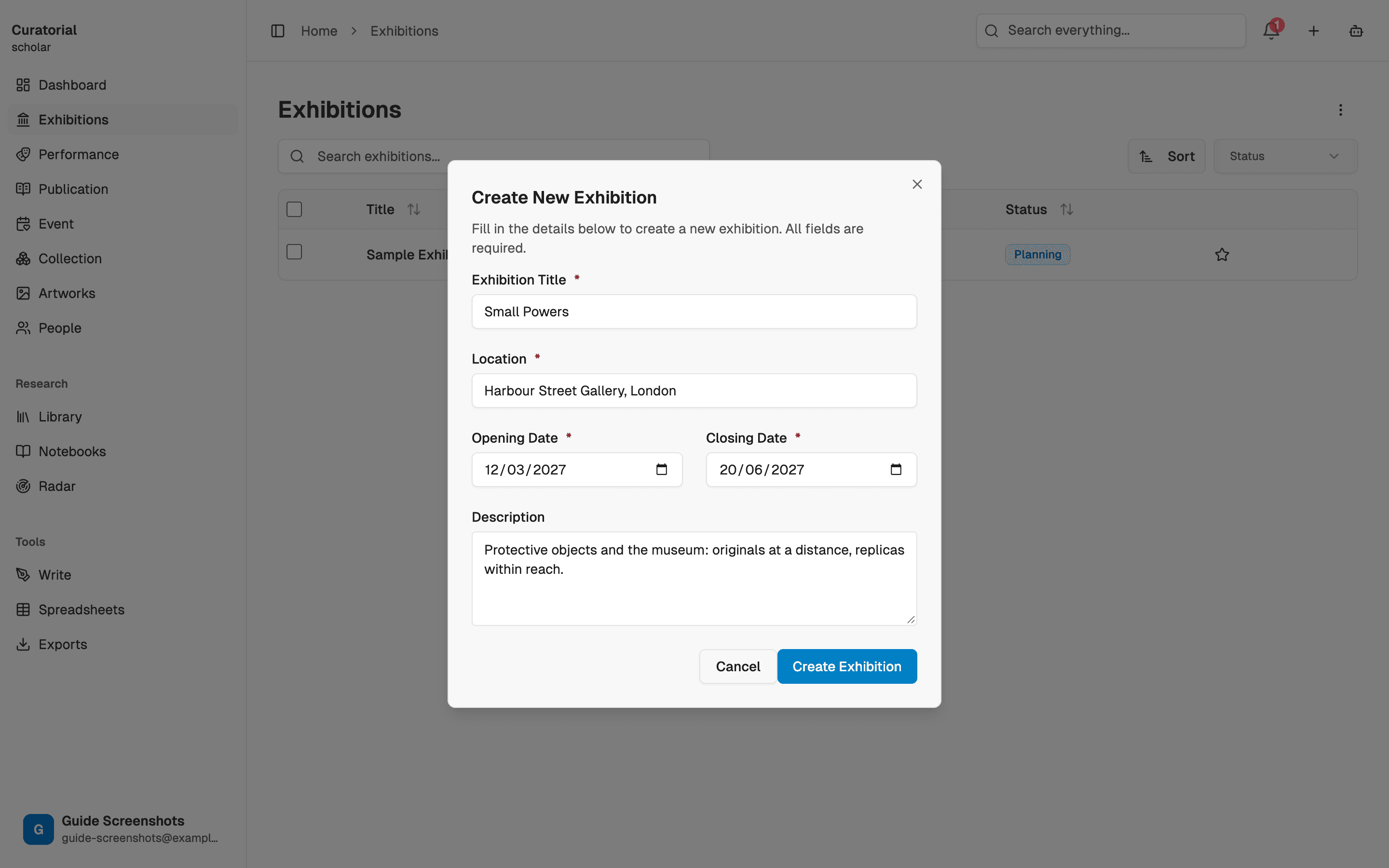
Con el plan Free tiene un proyecto, más que suficiente para familiarizarse con las herramientas. Pro elimina el límite cuando tiene varias exposiciones en marcha.
Cree su biblioteca
Suba los materiales con los que está trabajando: PDF, imágenes y documentos de prensa. Añádalos de uno en uno a medida que los encuentre, o importe un conjunto completo si ya cuenta con una carpeta de investigación. Cada material pasa a estar disponible para que las herramientas de IA y el Asistente lo lean, citen y relacionen.
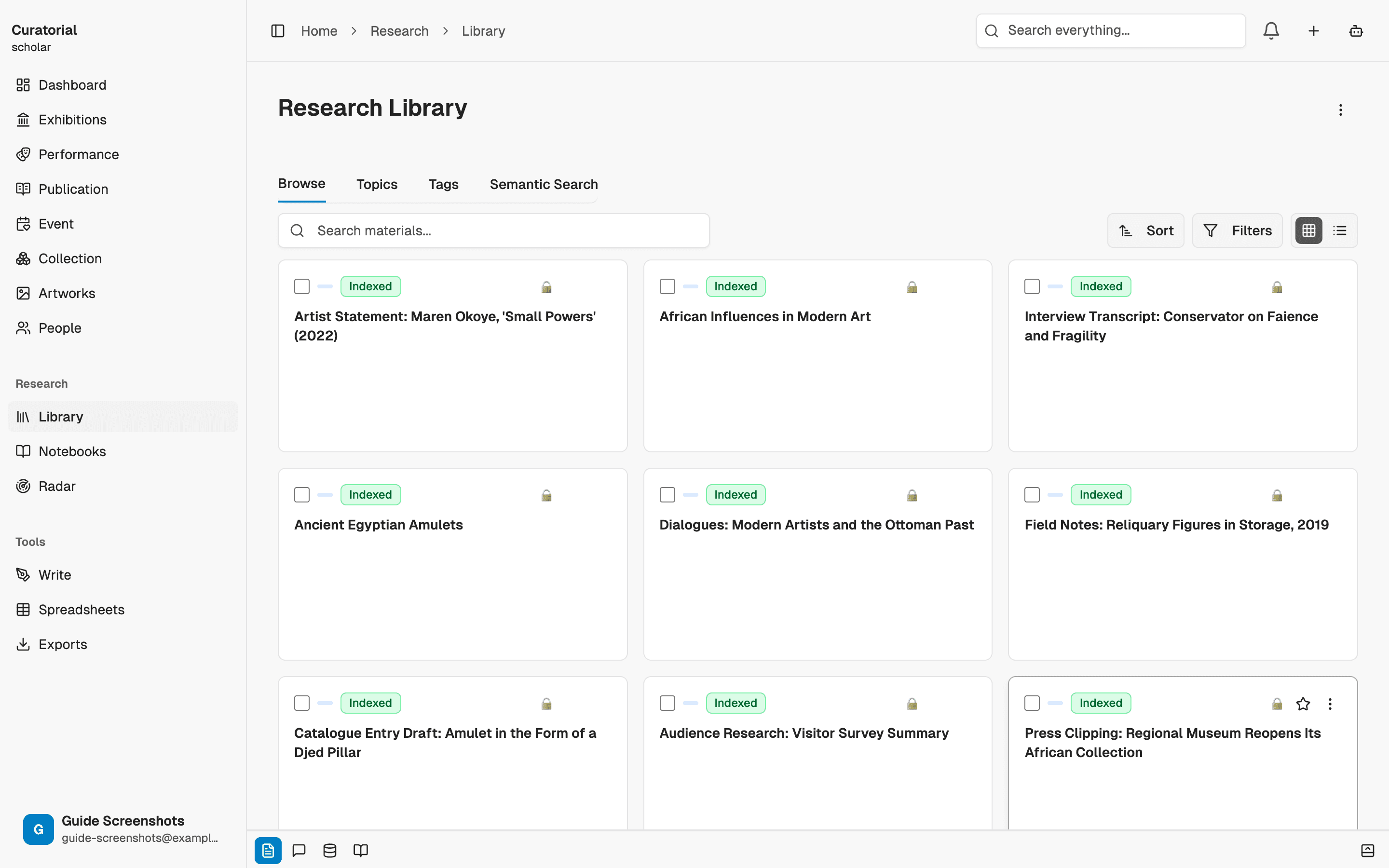
Espere a que se indexen: es un paso importante
Después de subirlos, cada fuente se procesa e indexa para que pueda buscarse por significado e incorporarse a las respuestas. Este proceso ocurre en segundo plano y tarda un momento. Es el paso silencioso que hace posible todo lo demás: los materiales que aún no han terminado de indexarse no aparecerán en la búsqueda semántica ni servirán de base para las respuestas del Asistente. Espere un poco antes de contar con los archivos recién subidos.
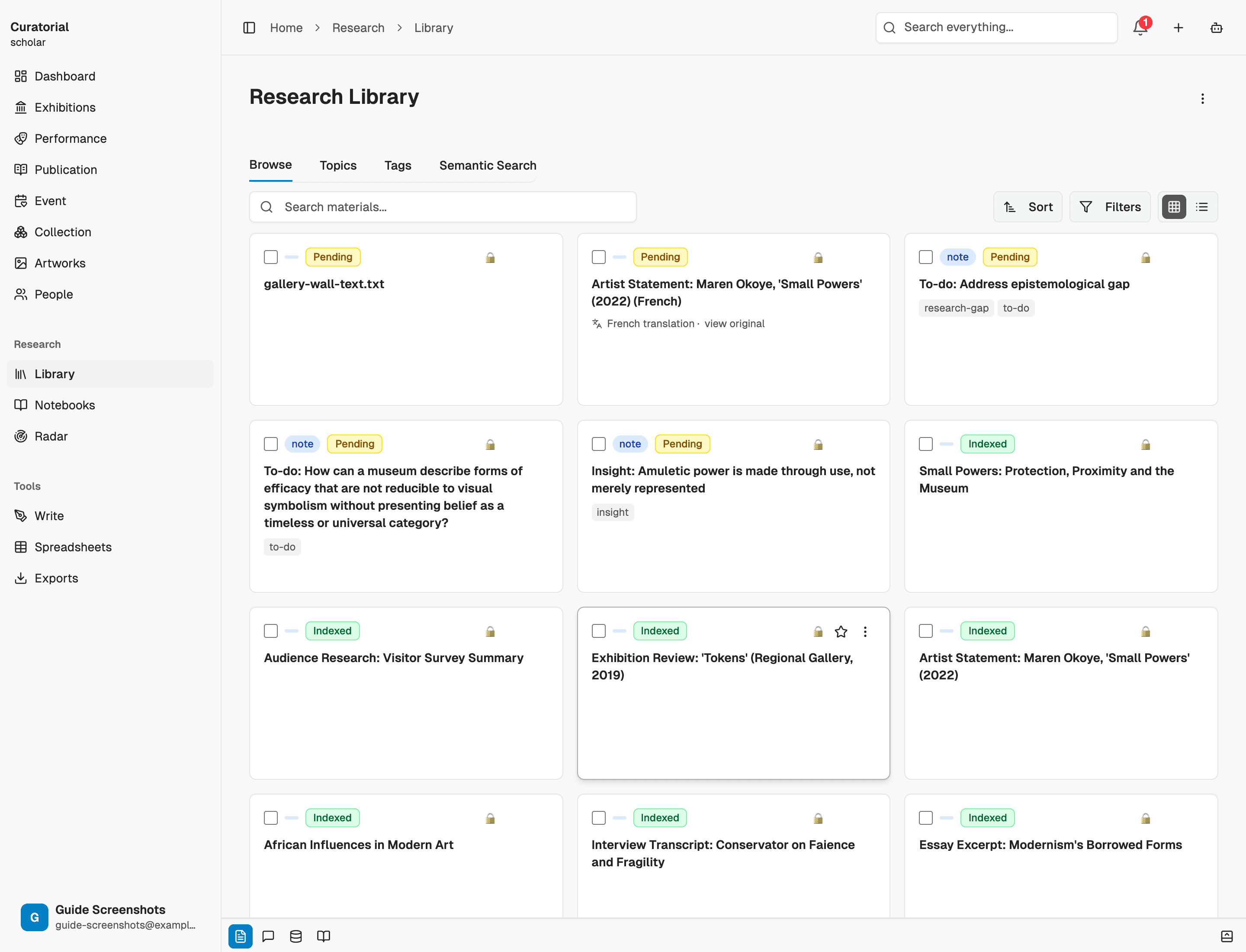
Encuentre lo que busca, rápido
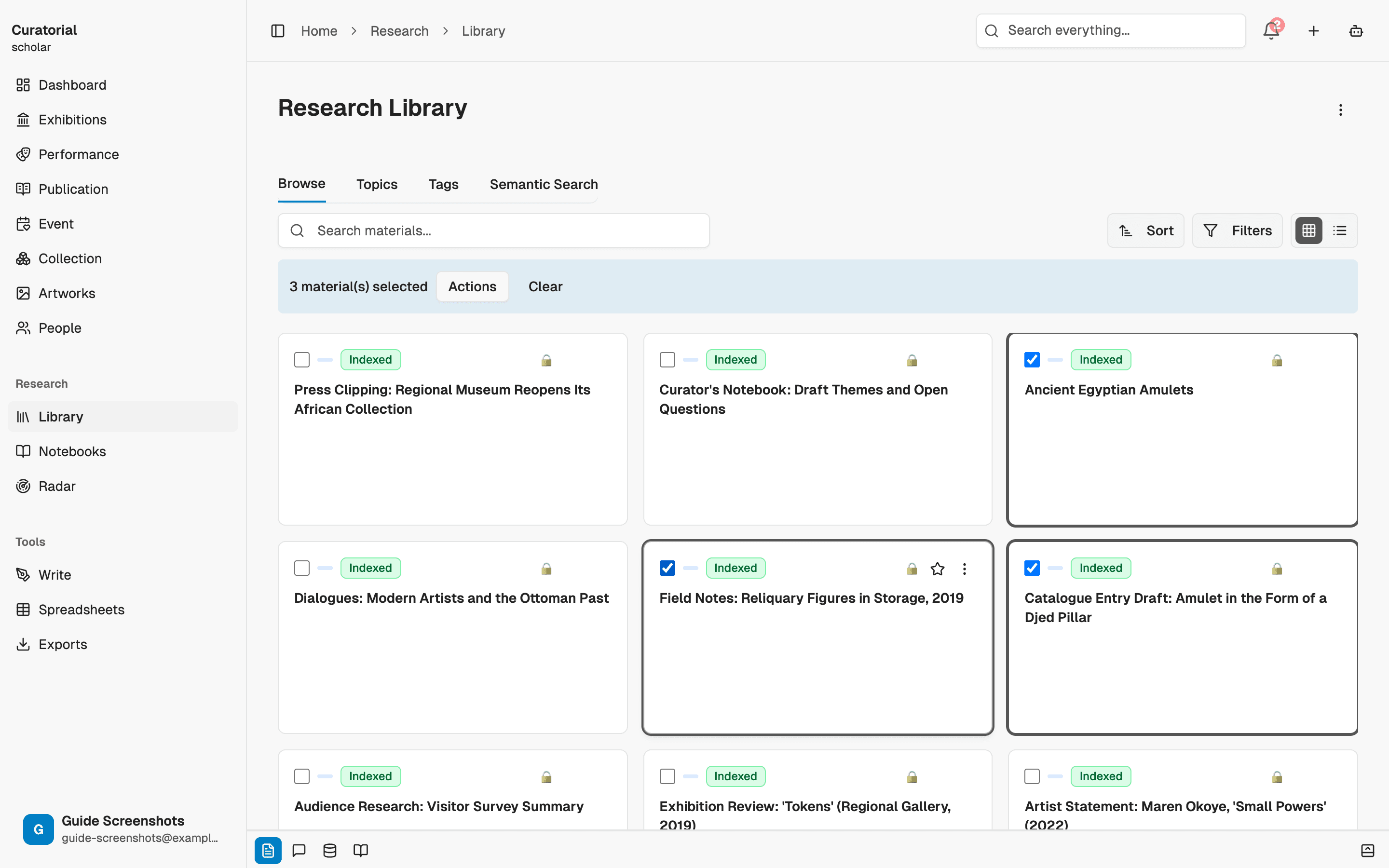
A medida que crece la biblioteca, deja de desplazarse por ella y empieza a buscar. Filtre y busque entre sus materiales para encontrar justo lo que necesita; después, envíe una selección directamente a una herramienta: extraiga ideas, trace conexiones o compárela con otra fuente. La biblioteca no es un almacén: es el punto de partida de cada análisis.
El modelo mental
Piense en el proyecto como la exposición y en la biblioteca como su base documental. Dedique un poco de tiempo al principio a incorporar e indexar los materiales; a partir de ahí, todo —las ideas, las conexiones, el ensayo, el asistente— se apoya en esa base. El tiempo que invierta en una biblioteca ordenada y bien surtida se verá recompensado cada vez que una herramienta la consulte.
Una buena primera sesión puede ser así de sencilla: cree un proyecto, suba tres o cuatro fuentes reales y espere a que se indexen. Después, tendrá todo listo para seguir las demás guías.
Qué sigue
Ahora, ponga la biblioteca en marcha
Topics
4 minGroup materials by theme across projects — the connective tissue between your research and your shows
Insight Extraction
4 minMap the argument inside a source — claims, evidence, and counter-positions — not a summary
Notebooks
6 minA focused workspace for a question — add sources, chat with grounded answers, generate briefings and timelines
Empiece con
un proyecto.
Cree su primer proyecto y forme una biblioteca en cuestión de minutos. Puede empezar a usar Curatorial gratis.
Pruébelo gratis