Herramientas de investigación
Extracción de ideas clave
No resume su fuente. Desentraña la estructura de su argumento —las afirmaciones, las pruebas y los desacuerdos— para que pueda empezar a pensar en lugar de volver a leer.
Cuándo recurrir a ella
Ha cargado una fuente densa —un artículo académico, un catálogo de exposición, un texto de artista o un conjunto de materiales de prensa— y necesita saber qué argumentos pueden sostenerse antes de situar su propia lectura. La extracción es el paso entre la lectura y la escritura: le muestra la estructura de la fuente para que pueda dialogar con ella, en lugar de parafrasearla.
Seleccione los materiales que desea analizar
Abra un proyecto y elija uno o varios materiales de su biblioteca. La extracción analiza lo que ya ha cargado e indexado; por eso, este paso se realiza una vez incorporado el documento, no al cargar uno nuevo. Seleccione una sola fuente para examinarla detenidamente o varias para que la IA razone a partir de todas a la vez.
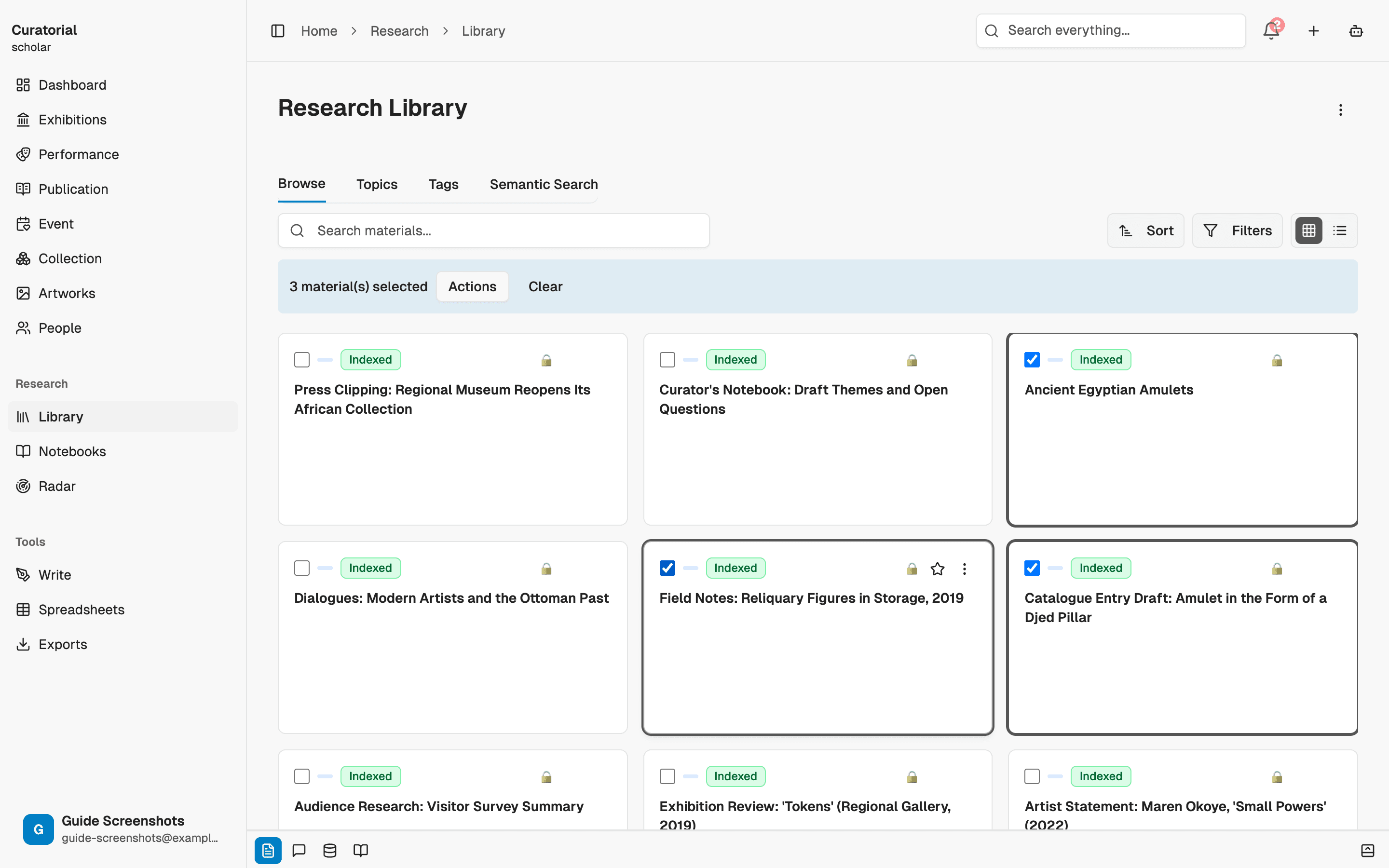
Es al seleccionar varias fuentes relacionadas cuando esta función demuestra su valor: la IA cita todas y señala sus desacuerdos.
Inicie la extracción
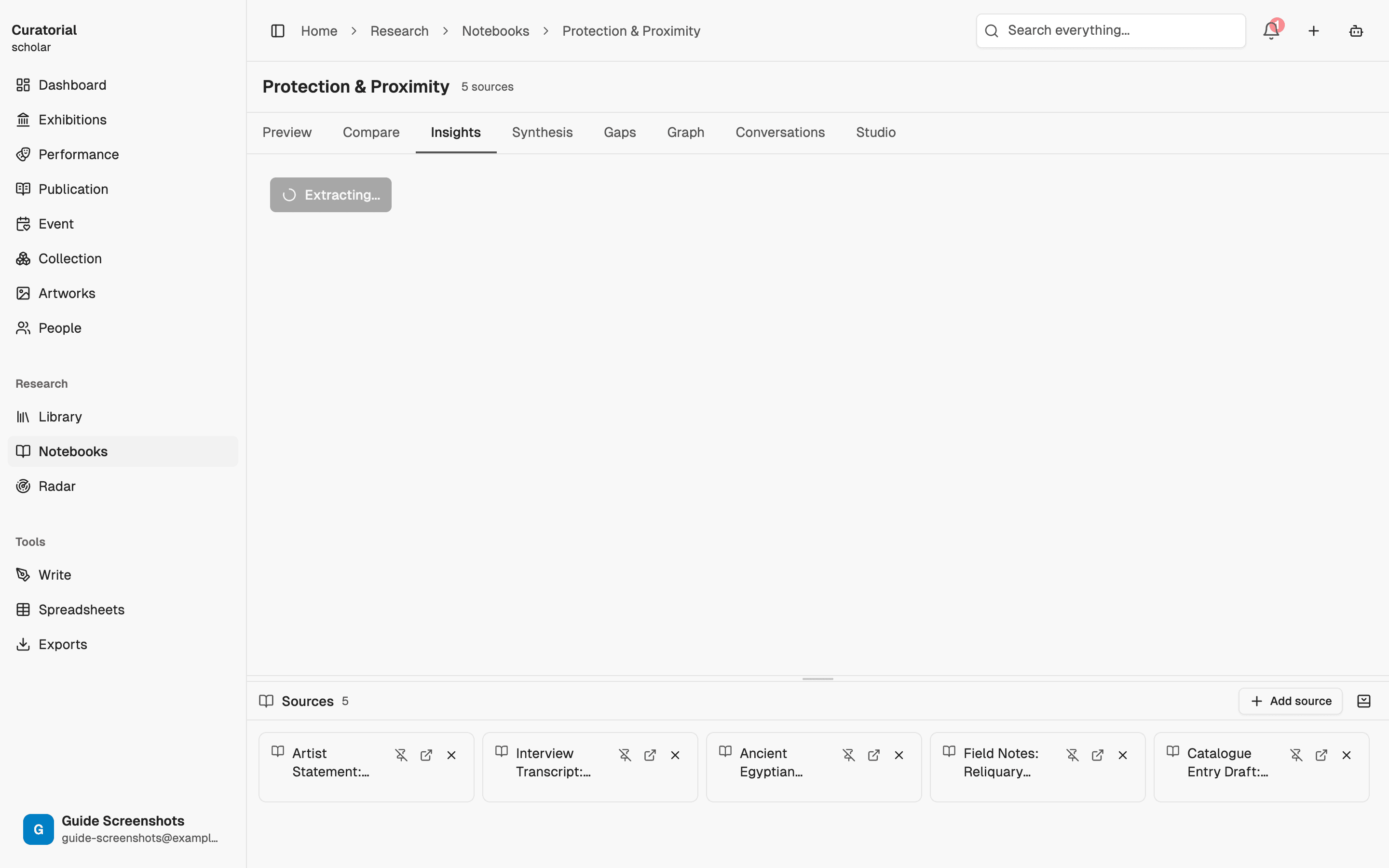
Active la extracción de ideas clave. No se limita a leer por encima la primera página: recupera el contenido indexado de cada fuente y lo analiza en conjunto, y luego presenta ideas clave de forma estructurada. El proceso suele tardar unos segundos por fuente. No tiene que indicar una cantidad: la IA devuelve tantas ideas sustanciales como permita realmente el material, sin rellenar la lista para alcanzar una cuota.
Lea los resultados, incluidos los desacuerdos
Cada idea es una afirmación, no una viñeta. Debajo encontrará los argumentos que la respaldan, cada uno con citas textuales y un enlace al material de origen, además de las posiciones contrarias que detectó la IA, clasificadas según su relación: contradicen, complejizan, amplían o replantean. Si una idea se inscribe en una tradición teórica o plantea una pregunta en lugar de responderla, también lo indica. Aquí es donde ahorra horas: las tensiones ya están a la vista.
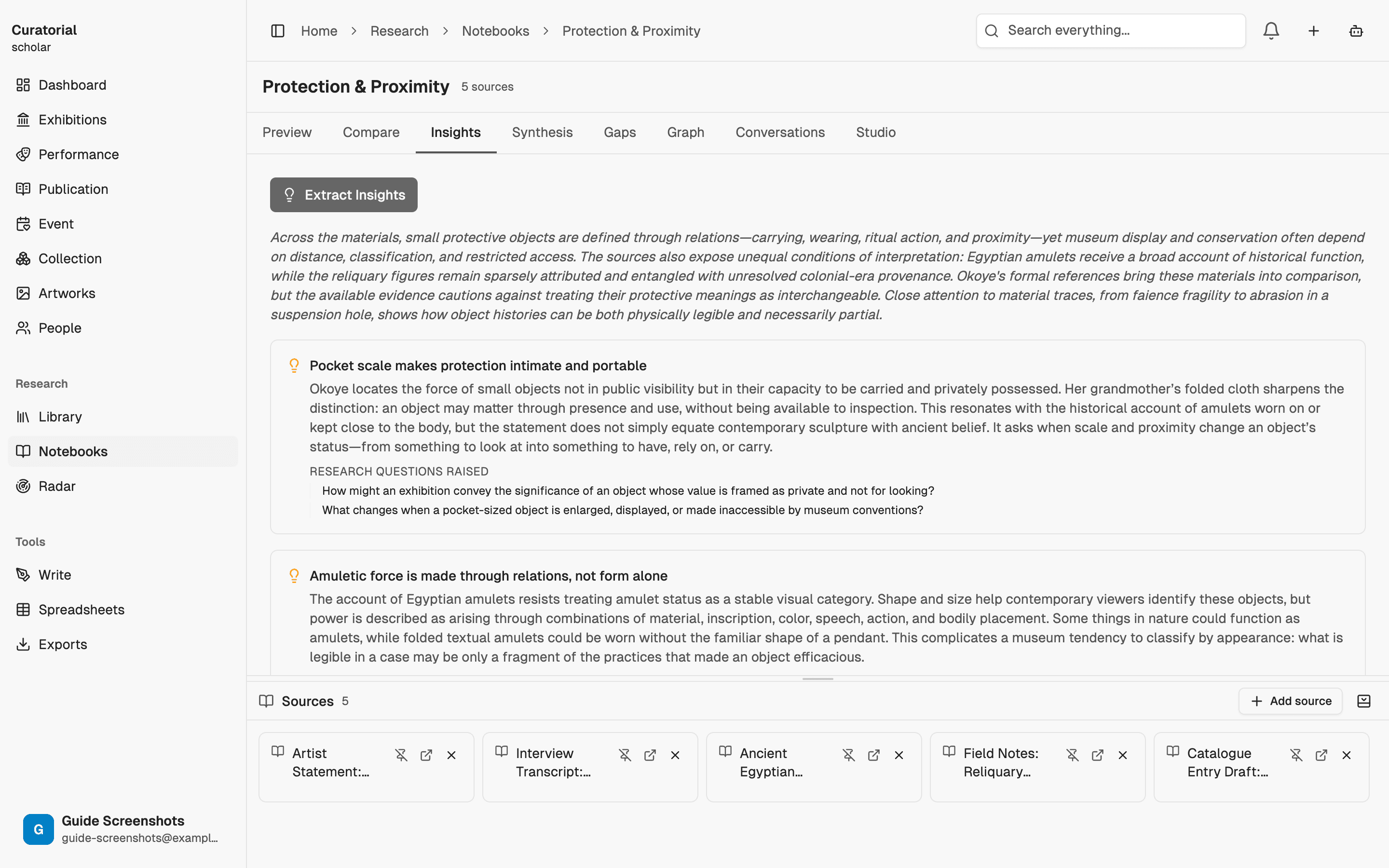
Las posturas contrapuestas no son errores que haya que resolver: son la fricción productiva. Una fuente que solo coincide consigo misma no le ofrece mucho material sobre lo que escribir.
Guarde lo que quiera y llévelo más lejos
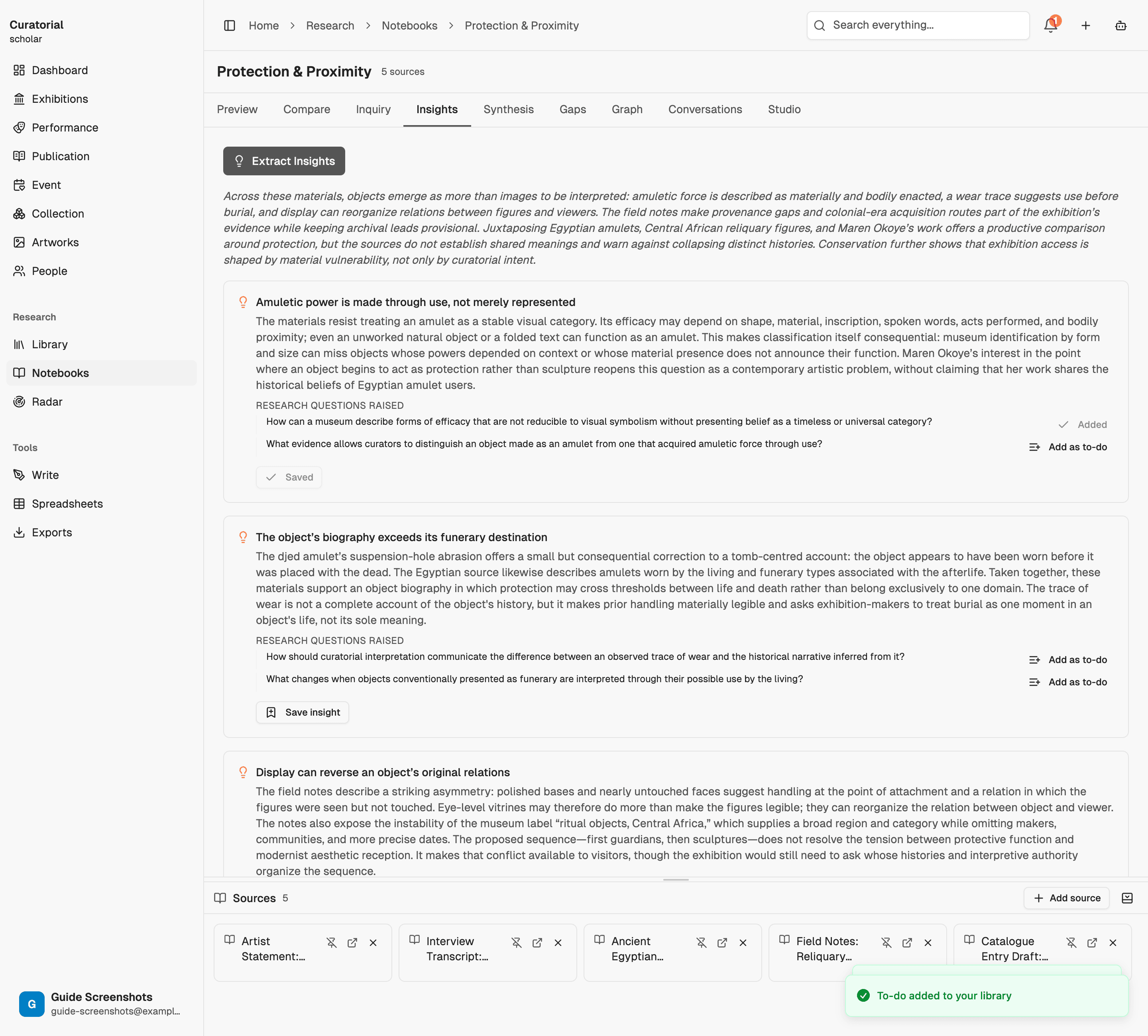
Guarde en el proyecto las ideas que merezca la pena conservar. A partir de ahí, alimentan el resto de su flujo de trabajo: trace sus conexiones, compárelas con otra fuente o incorpórelas a una matriz de síntesis que pueda exportar. La extracción es el punto de partida; está pensada para dar paso a lo que sigue.
Qué hace y qué no hace
Se ocupa de la lectura mecánica: encontrar las afirmaciones, extraer las citas, registrar a quién se cita y detectar dónde una fuente se contradice. Lo que no hace es decidir qué significa todo eso para su exposición. La interpretación sigue siendo suya: la extracción simplemente le lleva hasta el momento en que interpretar es lo único que queda por hacer.
Extraer información de una fuente típica cuesta alrededor de 3,000 tokens — unos pocos centavos. Analizar varias fuentes a la vez requiere proporcionalmente más, y por lo general vale la pena.
Qué sigue
Ponga las ideas en práctica
Connection Mapping
5 minDiscover relationships between your materials with interactive graph visualization
Research Synthesis
5 minGenerate structured data matrices across multiple sources — exportable to CSV/JSON
Comparative Analysis
5 minSide-by-side source comparison with contradiction scoring and common ground detection
Deje de releer.
Empiece a debatir.
Suba una fuente y descubra el argumento que encierra. Puede empezar a usar Curatorial gratis.
Pruébelo gratis