Outils de recherche
Radar de recherche
C’est le seul outil ici qui fonctionne quand vous ne le surveillez pas. En toute discrétion, il repère les nouveaux documents qui font écho aux anciens et vous signale quand un document ajouté aujourd’hui fait référence à quelque chose que vous aviez classé il y a des mois.
Quand l’utiliser
Dès que votre bibliothèque est assez vaste pour que vous ayez oublié la moitié de son contenu. Dans une grande collection, les rapprochements les plus féconds se font au fil du temps : l’article ajouté cette semaine qui répond à une question soulevée par un projet datant de deux ans. Vous ne penseriez jamais à rechercher ce lien par vous-même. Le Radar s’en charge.
Il fonctionne en arrière-plan
Le Radar compare vos documents entre eux et repère les ressemblances marquées que vous n’avez pas encore mises en relation. Pas besoin de le lancer sur une sélection précise : il explore toute votre bibliothèque, et sa valeur augmente automatiquement avec elle. Plus votre collection s’étoffe, plus il a de rapprochements à repérer pour vous.
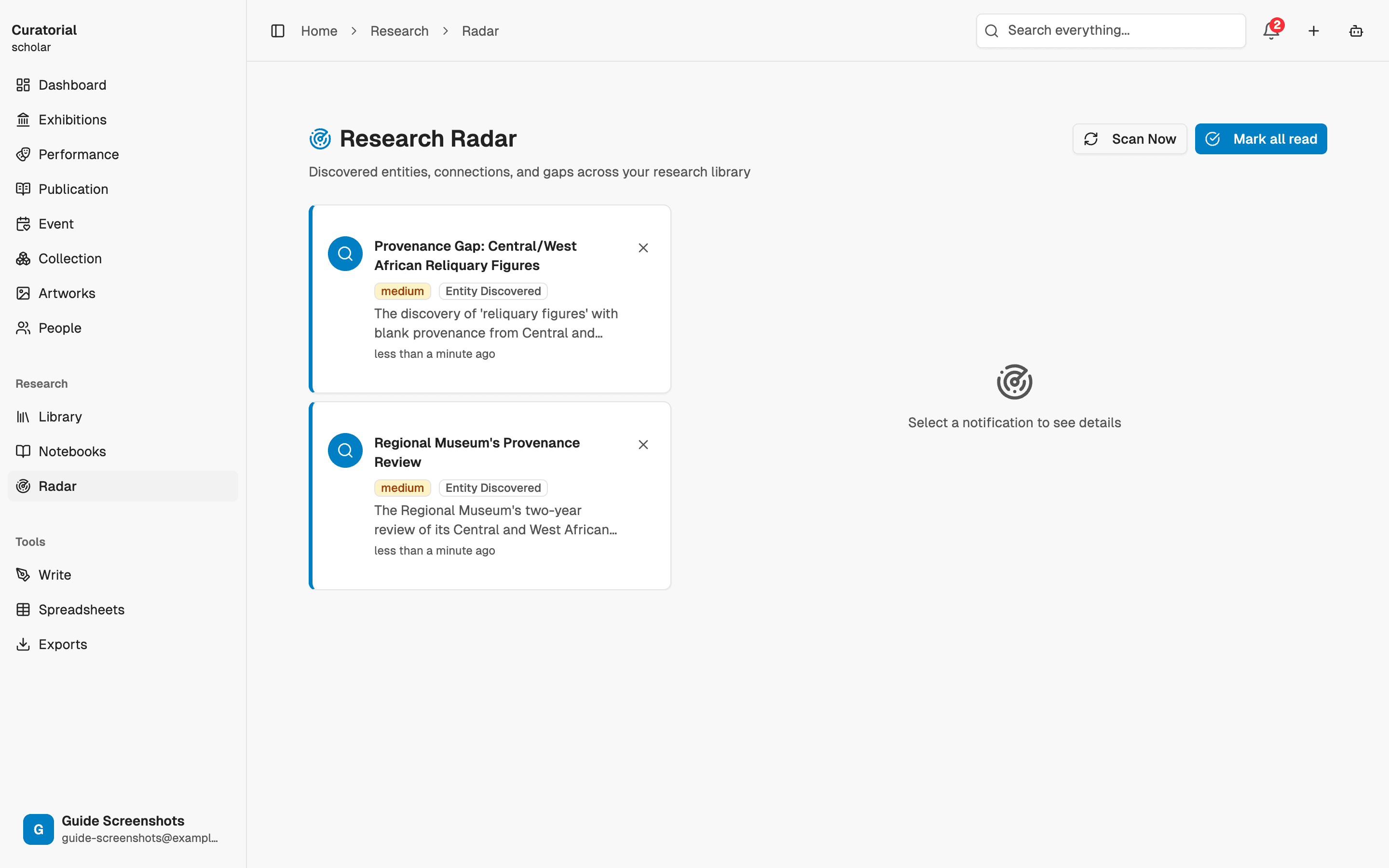
Consultez les alertes
Lorsqu’il détecte une nouvelle ressemblance marquée, il vous envoie une alerte : ce document récent est étroitement lié à tel document plus ancien. Chaque alerte vous propose une piste concrète : examiner un rapprochement auquel vous n’auriez jamais pensé, car les deux sources proviennent de moments complètement différents de votre travail.
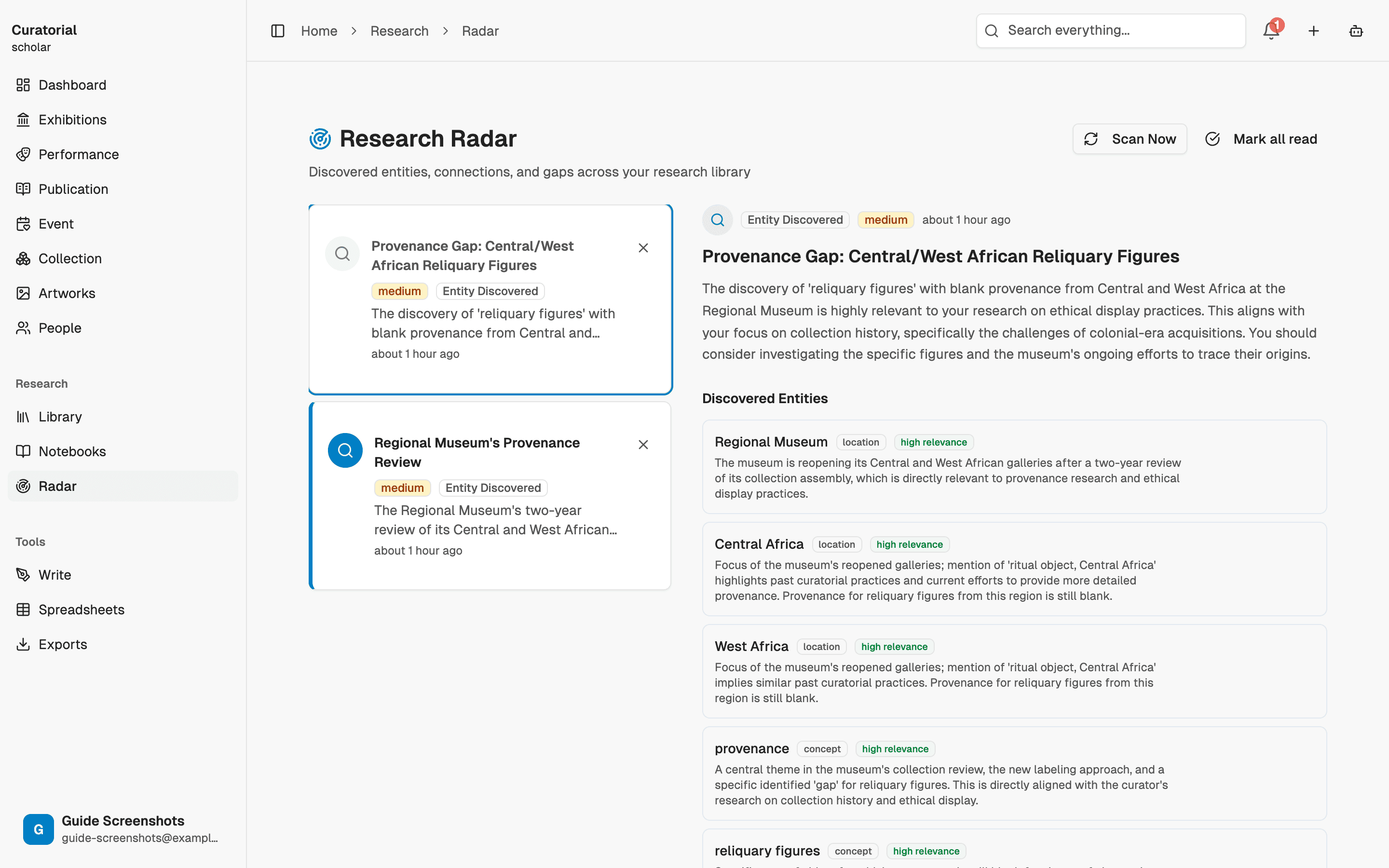
Considérez les alertes comme des pistes, pas comme des conclusions. Les plus intéressantes vous ramènent à une source avec une question nouvelle ; les autres, vous les écartez en un instant.
Réglez la sensibilité
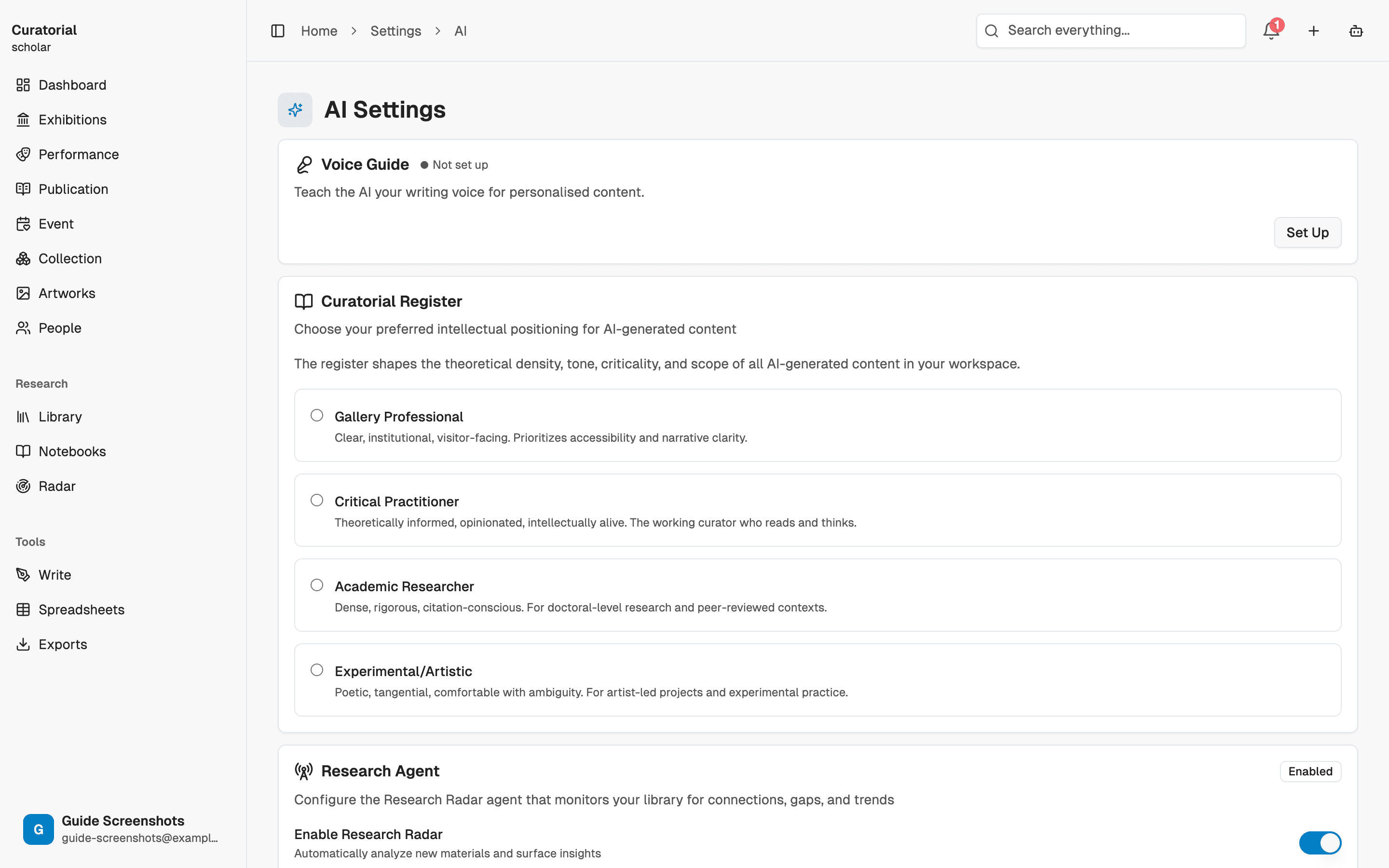
Choisissez la période à explorer et la quantité de résultats à faire remonter, pour adapter le Radar à votre façon de travailler : ratisser large lorsque vous cherchez activement des rapprochements, ou opter pour un réglage plus discret si vous souhaitez seulement recevoir de temps à autre un signal fort. L’objectif : des suggestions utiles, pas un flux bruyant que vous finirez par ignorer.
Radar ou Cartographie des connexions
La Cartographie des connexions s’ouvre lorsque vous souhaitez étudier vos liens de manière délibérée. Le Radar fonctionne à l’inverse : vous ne l’ouvrez pas, il vient à vous et repère les liens que vous ne cherchiez pas. L’un est une carte que vous consultez ; l’autre, une vigie qui vous donne un petit coup de coude. Ensemble, ils couvrent à la fois les liens que vous recherchez et ceux qui vous échapperaient.
Le Radar ne révèle tout son potentiel qu’avec une bibliothèque bien fournie et correctement indexée. Au début, il restera discret — c’est normal. Sa valeur augmente à mesure que votre collection s’étoffe.
Et ensuite
Outils de recherche associés
Connection Mapping
5 minDiscover relationships between your materials with interactive graph visualization
Semantic Search
3 minFind materials by meaning, not keywords — ask questions in natural language
Knowledge Graph
5 minExtract the artists, movements, and places from your sources and see how they interconnect
Repérez les liens
qui vous échapperaient.
Constituez une bibliothèque et laissez le radar faire apparaître les échos qui la traversent. Curatorial est gratuit pour commencer.
Essayer gratuitement