Recherchewerkzeuge
Recherche-Radar
Das einzige Werkzeug hier, das arbeitet, während Sie nicht hinsehen. Es hält unauffällig Ausschau nach neuen Materialien, die an ältere erinnern, und meldet sich, wenn ein heutiger Upload an etwas anknüpft, das Sie vor Monaten abgelegt haben.
Wann Sie dazu greifen sollten
Sobald Ihre Bibliothek so groß ist, dass Sie die Hälfte ihres Inhalts vergessen haben. Die spannendsten Verbindungen in einer umfangreichen Sammlung entstehen über die Zeit hinweg – etwa wenn sich herausstellt, dass ein Papier, das Sie diese Woche hinzugefügt haben, eine Frage aus einem Projekt von vor zwei Jahren beantwortet. Selbst würden Sie kaum auf die Idee kommen, nach dieser Verbindung zu suchen. Das Radar übernimmt das für Sie.
Es läuft im Hintergrund
Das Radar vergleicht Ihre Materialien miteinander und sucht nach deutlichen Ähnlichkeiten, die Sie noch nicht miteinander verknüpft haben. Sie müssen es nicht für eine bestimmte Auswahl starten – es arbeitet mit Ihrer gesamten Bibliothek. So wächst sein Nutzen ganz von selbst mit Ihrer Sammlung. Je größer diese ist, desto mehr kann das Radar für Sie entdecken.
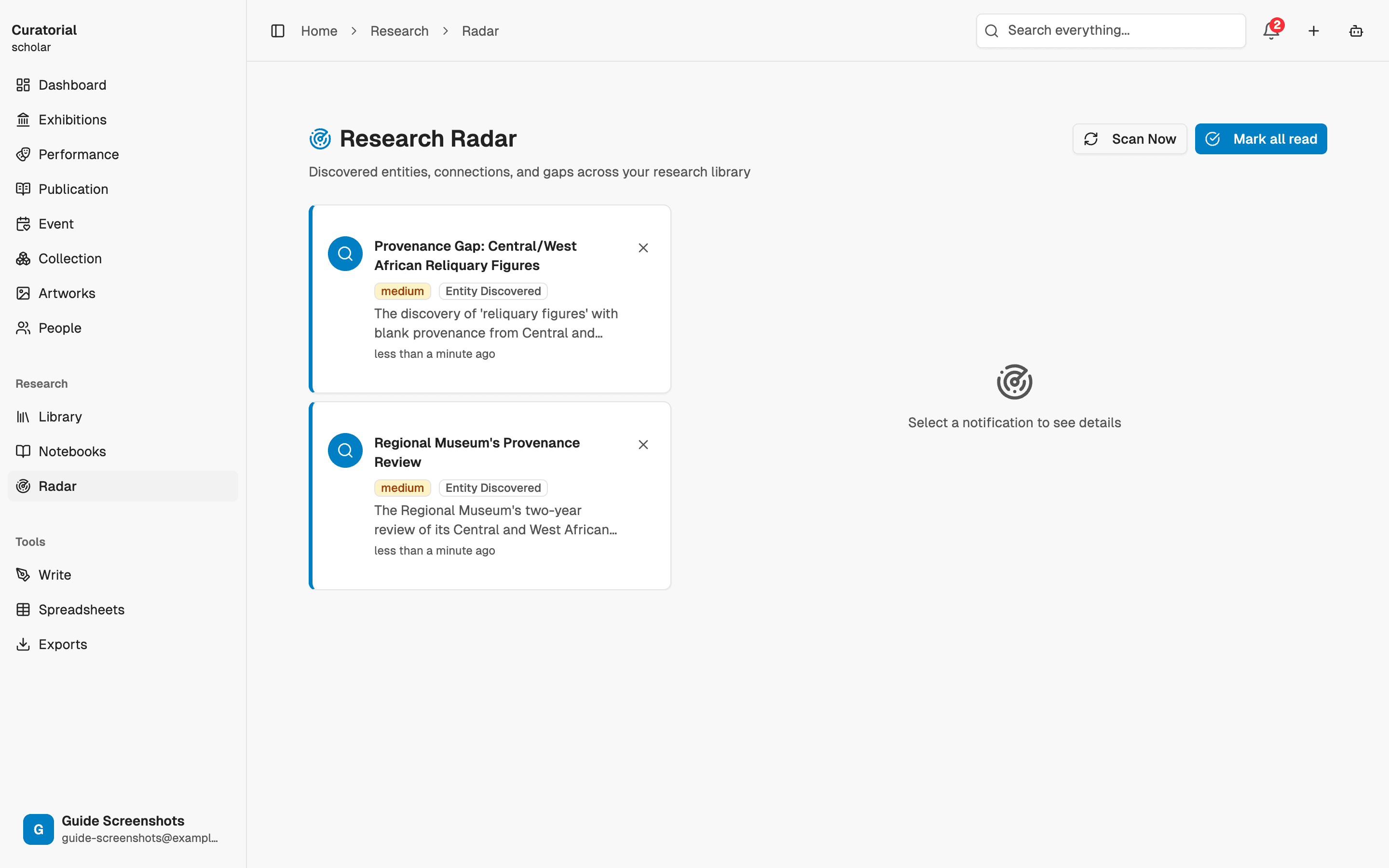
Lesen Sie die Hinweise
Entdeckt das Radar eine neue, deutliche Ähnlichkeit, erhalten Sie einen Hinweis: Dieses aktuelle Material steht in engem Zusammenhang mit jenem älteren. Jeder Hinweis ist ein kleiner, konkreter Denkanstoß – er lädt Sie ein, zwei Quellen miteinander zu vergleichen, auf die Sie selbst kaum gekommen wären, weil sie aus ganz unterschiedlichen Phasen Ihrer Arbeit stammen.
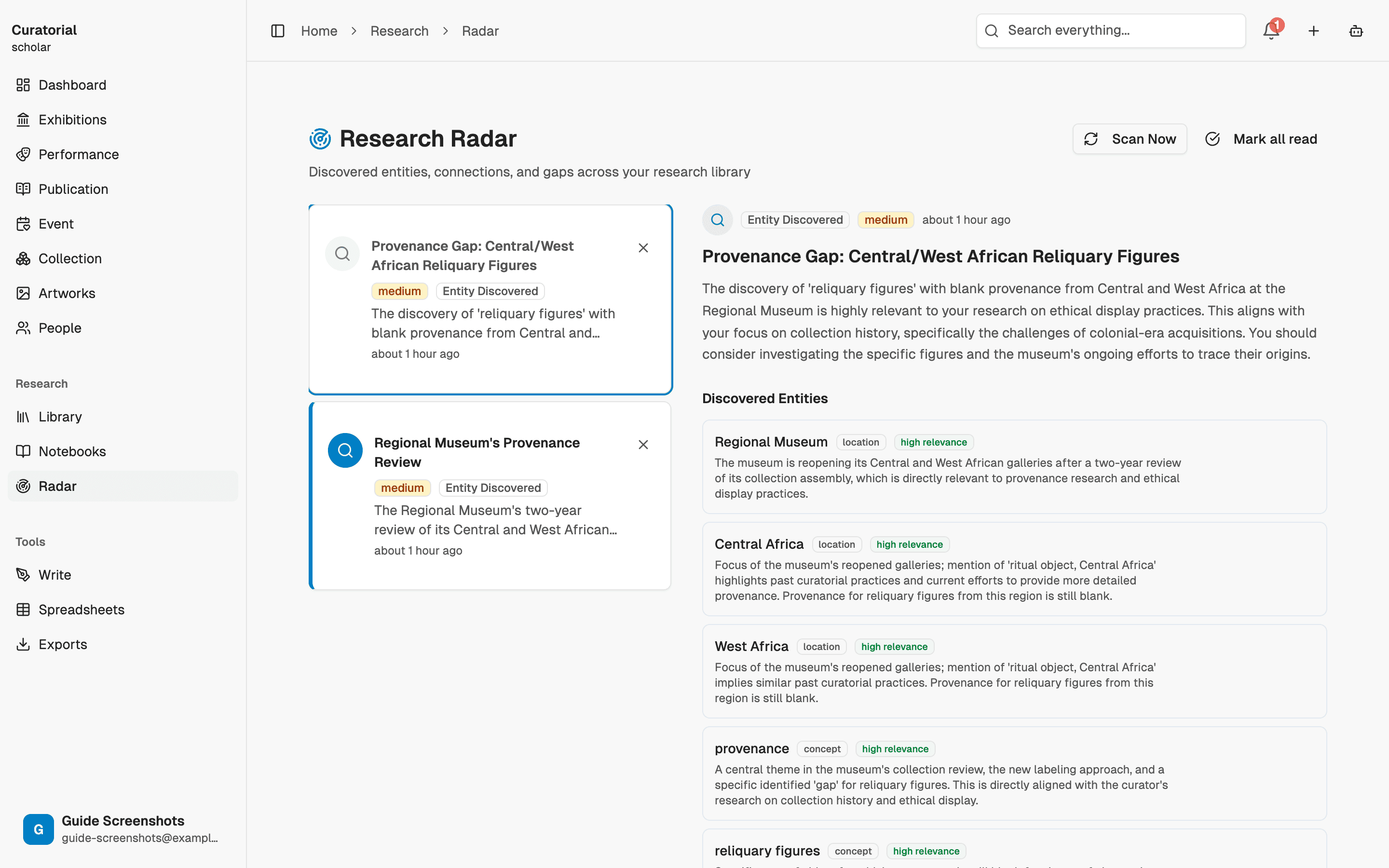
Verstehen Sie Hinweise als Denkanstöße, nicht als Schlussfolgerungen. Die guten führen Sie mit einer neuen Frage zurück zur Quelle; die übrigen können Sie mit einem Klick verwerfen.
Passen Sie die Empfindlichkeit an
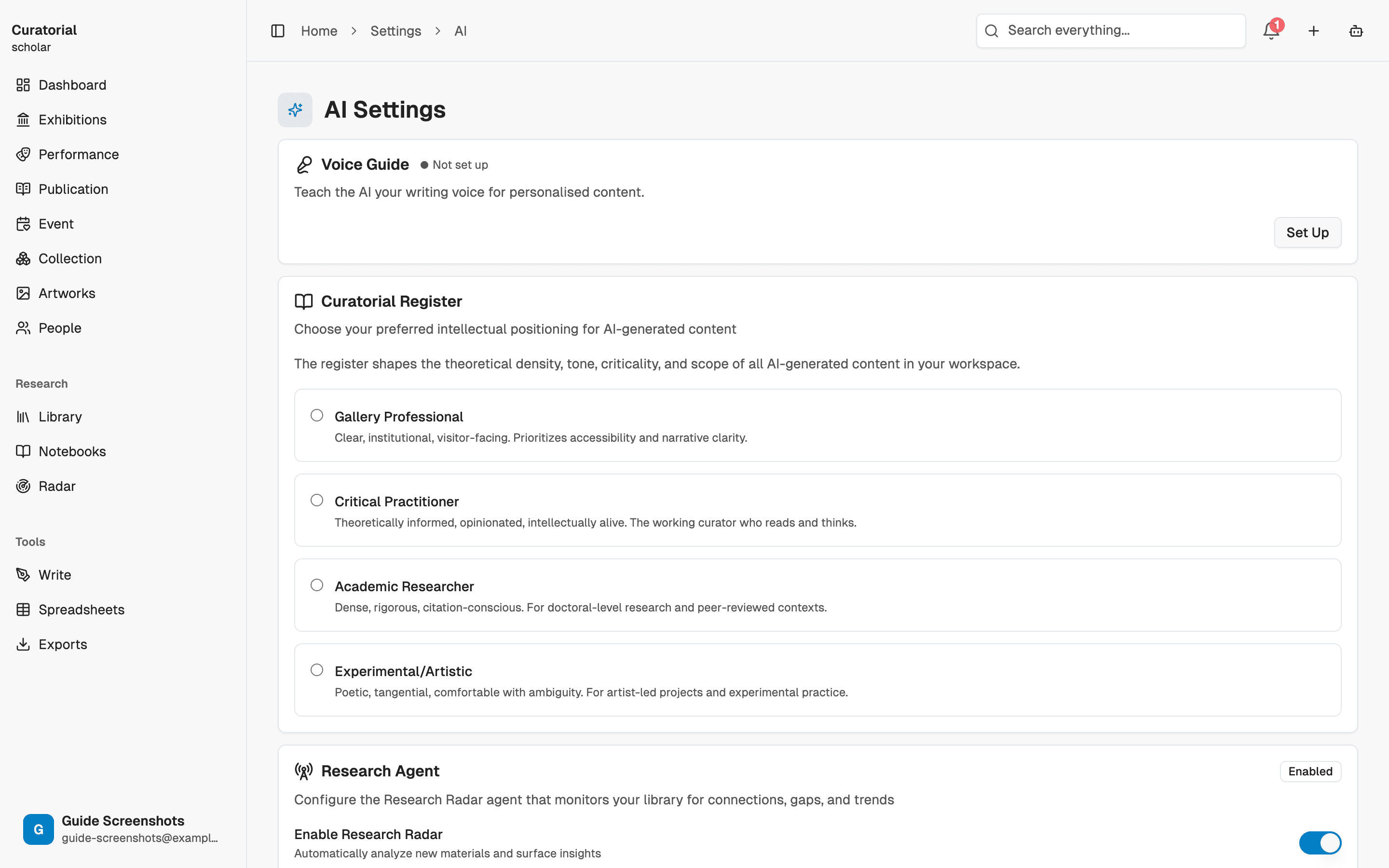
Legen Sie fest, wie weit das Radar zurückblickt und wie viele Hinweise es anzeigt – passend zu Ihrer Arbeitsweise: ein weites Netz, wenn Sie aktiv nach Verbindungen suchen, oder eine zurückhaltendere Einstellung, wenn Sie nur gelegentlich einen besonders deutlichen Hinweis erhalten möchten. Ziel sind hilfreiche Denkanstöße, keine Flut von Hinweisen, die Sie irgendwann nicht mehr beachten.
Radar oder Verbindungskartierung
Die Verbindungskartierung öffnen Sie, wenn Sie sich gezielt mit den Zusammenhängen in Ihrer Sammlung befassen möchten. Das Radar funktioniert genau umgekehrt: Sie öffnen es nicht – es kommt zu Ihnen und entdeckt Verbindungen, nach denen Sie gar nicht gesucht haben. Das eine ist eine Karte, die Sie selbst erkunden; das andere ein Ausguck, der Ihnen auf die Schulter tippt. Zusammen machen sie sowohl die Verbindungen sichtbar, nach denen Sie suchen, als auch jene, die Ihnen sonst entgehen würden.
Das Radar entfaltet seinen Nutzen erst mit einer gut gefüllten, sorgfältig erschlossenen Bibliothek. Am Anfang wird es ruhig bleiben – das ist ganz normal. Mit Ihrer Sammlung wächst auch sein Wert.
Wie es weitergeht
Verwandte Recherchewerkzeuge
Connection Mapping
5 minDiscover relationships between your materials with interactive graph visualization
Semantic Search
3 minFind materials by meaning, not keywords — ask questions in natural language
Knowledge Graph
5 minExtract the artists, movements, and places from your sources and see how they interconnect
Entdecken Sie Verbindungen
die Ihnen sonst entgingen.
Legen Sie eine Bibliothek an und lassen Sie den Radar die Echos darin sichtbar machen. Curatorial können Sie kostenlos nutzen.
Kostenlos ausprobieren